
















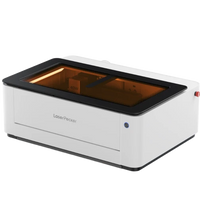
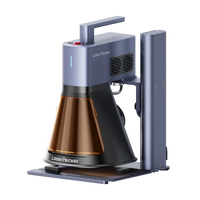


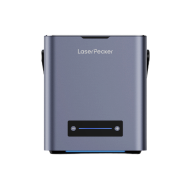
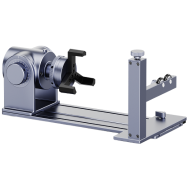
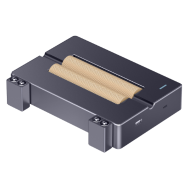

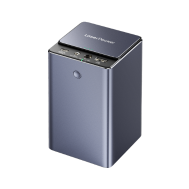


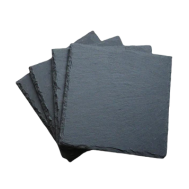


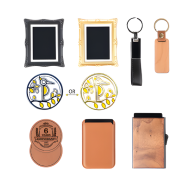








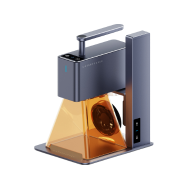















Previously, we introduced the technique of deep laser engraving on stone and demonstrated how to use the LaserPecker LP5 to engrave depth and texture into materials like granite and marble.
In this blog, we delve into slate embossing – also known as 3D laser engraving on slate – a visually stunning and easily accessible laser engraving technique.

In This Article:
Part 1: What is Laser Engraving on Slate?
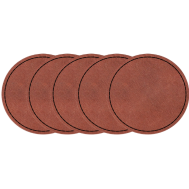
Laser engraving on slate is a laser-based 3D engraving technique that uses grayscale depth maps to etch raised or recessed motifs into slate tiles or slabs (stone). This embossing process involves multiple laser passes to carve out depth and form, creating a 3D appearance and feel. The process mimics traditional embossing techniques used in printing and metalworking – except in this case, the laser does the engraving with utmost precision.
Since slate is naturally smooth, relatively soft, and offers high contrast when engraved, it is perfect for grayscale art, logos, portraits, and richly textured designs.
Part 2: Step-by-Step Guide to Laser Engraving Slate with LaserPecker LP5
Can you laser engrave slate? Of course. Use a laser engraver and follow these steps, and you'll get a custom engraved slate.
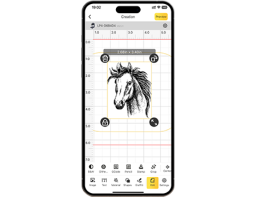
Step 1: Import the image into LDS. For 3D embossing, a depth map image is needed. You can download a depth map image from the internet or create one using third-party software. In this guide, the image from the LDS software Clipart is used as an example.

Step 2: Select the image, then choose 3D grayscale from the Effects menu and set either concave engraving or convex engraving. Concave engraving carves directly into the pattern for a recessed effect, while convex engraving removes the surrounding areas of the pattern for a raised effect.

Step 3: Select the number of layers. The valid range is [0-254]. More layers mean smoother 3D embossing and deeper engraving, but more time is required. Fewer layers result in coarser 3D embossing and require less time.
Step 4: In the laser engraving control panel, you can view the engraving area of each layer with the Layer Preview option. If the first or last layers are completely black or white, you can adjust the number of layers to shorten the engraving time.

Step 5: Adjust the image size and position as needed to match the engraving size with the wood size.
Step 6: Set the slate laser engraving settings by selecting the 1064nm light source, 4K resolution, 30 frequency, 100% power, 20% depth, and 0.01 layer height.
Step 7: Place the material in the appropriate position, preview the engraving, and adjust the focus. During the preview, fine-tune the actual position of the material to ensure the engraving area is as centered as possible.
Step 8: Once all settings are complete, start the engraving.


*In addition to online engraving (with LDS app or software), you can also export the engraving file to a USB drive for offline engraving (without LDS app or software).
Click File, then Export as LPB. File export may take some time. Please be patient. It is recommended to name the file with engraving parameters, e.g., 4K-1064-P100-D20-H0.01-Stone.
- Copy the LPB file to the USB drive.
- Insert the USB drive into the USB port of the LP5.
- Connect the machine via LDS, open the USB drive list and select the file for preview and engraving.
During the engraving process, dust or smoke may be generated. It is recommended to place a high-speed fan near the material to maintain a clean engraving environment, which prevents dust from settling on the surface and ensures a better engraving result.
To ensure the quality of the engraving and the safety of the device, you should carefully select the stones. Avoid using stones with rough, uneven surfaces or those with deep grooves or protrusions, as these can cause issues with laser focusing, leading to uneven engraving depth. Use stones specifically suitable for laser engraving, as certain natural stones (e.g., those with high moisture content, internal defects, or different crystal structures) may crack when exposed to heat.
Do not touch the engraved object immediately after 3D embossing, as it may still be hot and could cause burns.
Part 3: How to Properly Clean and Polish Slate After Embossing
Post-processing slate embossing is relatively simple – just gently wipe dust from the surface with a soft-bristle brush and clean it.

FAQs: Hot Questions About Engraving on Slate
1. Which laser is best for engraving slate?
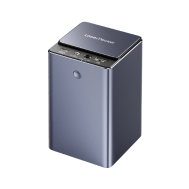
When it comes to slate embossing, you should always opt for a diode laser with 3D grayscale functionality. In this blog, we use the LaserPecker LP5. It is equipped with a 20W dual laser system and an embossing mode. It is a good choice for deep and detailed slate engraving.
2. What is the difference between embossing and stamping?
Embossing uses a laser to progressively carve out depth, allowing for fine control over relief and texture.
Stamping involves pressing a design into the material with a mold or stamp, often in a single forceful motion.
3. What is reverse embossing called?
Reverse embossing is often also referred to as debossing or deep engraving, which we introduced in deep laser engraving on stone. It creates a recessed rather than a raised effect.
Conclusion
Slate engraving combines the elegance of natural stone with the precision of modern laser engraving. Whether you want to create textured signage, personalized decorations, or artistic reliefs, the LaserPecker LP5 can help you achieve professional results.
With optimal settings for laser engraving slate, careful preparation, and a few professional tips – such as using USB drives for large grayscale files – you can add depth and dimension to your next creative project.
Ready to turn flat stone into stunning 3D art? Turn on your LP5, follow this guide for engraving on slate. This way you will get a unique engraved slate.