














































Laser engraving on stone is not only an artistic choice but also a way to create bold, lasting designs that stand the test of time. Whether you're crafting personalized gifts, signage, or architectural decorations, deep engraving on stone lends a high-quality, sculptural feel to your work.
In this tutorial, you'll learn what deep laser engraving on stone is, how deep it can go, which stones to choose, and how to use a laser engraving machine to achieve impressive results.

In this Article:
Part 1: What is Deep Laser Engraving on Stone/Rock?
Deep laser engraving involves etching a pattern several millimeters deep into the surface of a stone. Unlike surface marking or light etching, deep engraving removes more material to create dimensional reliefs and embossing effects. This method is perfect for creating textures, 3D representations, and lasting impressions that truly stand out.
Deep laser engraving on stone typically involves grayscale embossing, where the laser adjusts its power based on image depth information to carve out contours and shading.
Part 2: How Deep Can You Laser Engrave Stones?
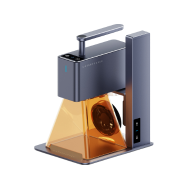
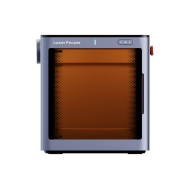
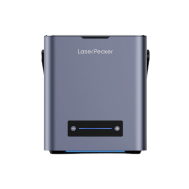
Answering this question is a bit complex, as the depth of a laser engraving on stone depends on several factors you should be aware of: the laser type, material hardness, and the number of engraving passes. With the LaserPecker LP5, for example, you can achieve depths ranging from 0.5 mm to over 3 mm, depending on the settings and stone type.

Multiple passes with adequate ventilation and finely tuned grayscale files will result in deeper engravings. Remember: deeper cuts require more power and time, so preparation is key.
Part 3: Which Stone is Best for Deep Laser Engraving?
Deep laser engraving on stone requires the right material to achieve sharp, lasting results. Not all stones react the same way to laser energy – some offer better contrast, durability, or engraving depth than others.
Always look for stones that:
- have a uniform texture - don't break easily - respond well to laser heat
For laser engraving on stone, dark, polished, and natural stones are best suited. Here's a list of stone types we typically choose.
Granite - Durable and suitable for high performance.
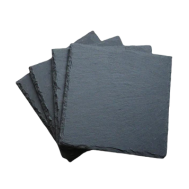
Slate - Soft enough for deeper etches and with a refined appearance
Marble - Ideal for high-contrast results and embossing.
Basalt or River Stone - Excellent for artistic or naturalistic designs.
Avoid overly porous stones or those with unpredictable grain, as these can lead to uneven engravings.

Multiple passes with proper ventilation and finely tuned grayscale files will yield deeper engravings. Remember that deeper cuts require more power and time, so preparation is crucial.
Part 4: 6 Steps to Deep Stone Engraving with the LaserPecker LP5
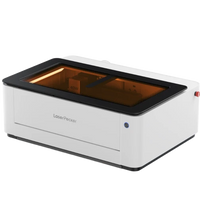
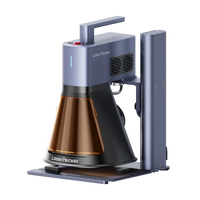
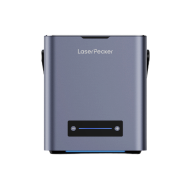
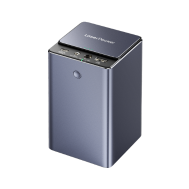
We will use LaserPecker LP5 as our laser machine to demonstrate how to make perfect deep stone engravings. So, follow this workflow for optimal results:

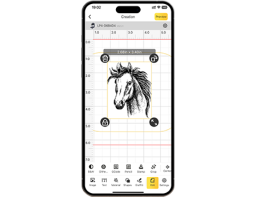
Step 1: Use the LaserPecker Design Space (LDS) software to import an image. Select the "Black and White" option from the menu bar.

Pro-Tips: It is recommended to use the black and white effect to improve engraving efficiency. If the image contains light-dark gradients, you should keep the default dithering effect to accurately reproduce smooth transitions.
Step 2: Adjust the image size and position as needed to ensure the engraving size matches the stone size.
Step 3: Set the engraving parameters by selecting a 1064nm light source, 2K resolution, a frequency of 26, power at 100%, and a depth of 25%. The number of engraving passes can be adjusted based on the desired result. More passes will lead to deeper engraving.
Step 4: Place the material in the appropriate position, preview the engraving, and set the focus. During the preview, fine-tune the actual position of the material to ensure the engraving area is as centered as possible.
Step 5: Once all settings are done, start engraving.
Step 6: During the engraving process, dust or smoke may be generated. It is recommended to place a high-speed fan near the material to maintain a clean engraving environment, preventing dust from settling on the surface and ensuring a better engraving result.

FAQs: Frequently Asked Questions About Laser Engraving Stone
1. Can the LaserPecker LP5 perform deep engravings?
Yes. With its dual-laser configuration and grayscale model, the LP5 is capable of deep engraving suitable stones like granite, marble, and slate. Multiple passes and proper settings are essential.
2. Which laser is best for engraving stone?
A high-power laser with grayscale capability, like the LaserPecker LP5, is ideal. Diode lasers with the right focus and control can achieve excellent depth with the correct workflow.
3. Can you laser engrave on granite?
Yes, of course. Granite is one of the most popular stones for deep laser engraving. It's durable but responds well to high-power lasers, yielding long-lasting and high-contrast results.
4. How do you achieve deeper laser engravings?
- Use the grayscale or embossing model.
- Increase power and decrease speed.
- Perform multiple engraving passes.
- Ensure adequate cooling between passes.
- Use a pre-cleaned, flat stone surface.
Conclusion
Deep laser engraving on stone adds weight, durability, and impact to any design. Whether you're a hobbyist or a small business owner, mastering this process can unlock new creative and commercial opportunities. With the LaserPecker LP5, powerful features and precise control are at your fingertips.
So, grab your design, prepare your stone, and start engraving masterpieces that will last a lifetime.