


High-quality business cards remain among the most effective tools for making a lasting first impression. However, in today's competitive world, ordinary paper business cards often fail to stand out.
This is where laser engraving comes in. Using precise laser technology, you can transform ordinary business cards into unique works of art – be it elegant metal cards, eco-friendly wood designs, or modern acrylic surfaces.
This guide walks you through everything beginners need to know about laser engraving business cards: what it is, how it works, which machines are best suited, safety precautions, and a step-by-step process to create professional, personalized business cards that truly make an impression.

This article contains:
- Part 1: An overview of laser engraving on business cards
- 1.1 What is laser engraving for personalized business cards?
- 1.2 How does laser engraving work on personalized business cards?
- 1.3 Which laser engraver is best suited for business cards?
- 1.4 Safety precautions before engraving business cards
- Part 2: Why use laser engraving for business cards?
- Case study: How to laser engrave business cards in 5 steps
Part 1: An overview of laser engraving on business cards
1.1 What is laser engraving for personalized business cards?
Laser engraving of business cards is the process of using a focused laser beam to etch text, logos, or complex designs directly onto card materials such as wood, metal, plastic, or even high-quality paper. Unlike traditional printing, laser engraving removes the top layer of the material, leaving a permanent, precise, and tactile mark that looks unique and professional.

1.2 How does laser engraving work on personalized business cards?
Laser engraving works by directing a high-powered laser beam onto the surface of the business card. The laser beam vaporizes or burns a thin layer of material, creating sharp, detailed lines. Depending on the type of card material, the following effects can be achieved:
- Wooden or bamboo cards receive deep, dark engravings with natural contrast.
- Metal cards made of stainless steel, aluminum and titanium show precise markings or even color changes, depending on the type of laser used.
- Plastic or acrylic cards can achieve matte, semi-transparent effects.

1.3 Which laser engraver is best suited for business cards?
The most commonly used machines for engraving business cards are diode laser engravers , which are particularly suitable for engraving metal business cards as well as materials such as wood, acrylic, leather, coated paper, stainless steel, aluminum and titanium.
For private or smaller business card engraving projects, diode laser engravers like the LP5 , LP4 , or LP3 are a good choice. These laser engraving machines for business cards are easy to use and cost-effective.

1.4 Safety precautions before engraving business cards
Laser engraving is safe when set up correctly. However, you should observe the following precautions:
- Ensure adequate ventilation to remove fumes, especially when engraving coated or plastic cards.
- Secure the map material to prevent it from slipping during engraving.
- Test the settings on a sample card before the final engraving to avoid damaging expensive materials.
Part 2: Why use laser engraving for business cards?
Laser engraving of business cards is a popular choice for professionals and companies looking to stand out. Compared to traditional printing, engraving offers a high-quality, durable, and highly customizable option. Here are the key advantages:
① Unique and professional appearance
Laser-engraved cards have a sophisticated and tactile feel. The engraved texture leaves a lasting impression that standard printed cards often lack. Whether it's a subtle logo, a striking name, or a detailed design, the result feels elegant and high-quality.
2. Highest precision & customization
Laser engraving allows for ultra-fine details – from micro-text to complex logos and patterns. You can personalize the cards with names, QR codes, or even sequential numbering, making them both practical and artistic.
③ Durability and longevity
Unlike ink or foil printing, which can fade, scratch, or smudge, laser engraving is permanent. On materials like metal, wood, or acrylic, the design won't wear off, so your business cards will last longer in your customers' hands.
Case study: How to laser engrave business cards in 5 steps
Preparation for laser engraving on clothing
- Engraving material: Business cards
- Engraving machine: Diode laser engraver
- Engraving design: name, logo, images, patterns, etc.
Can you engrave business cards? Yes! The process is very simple. How long does it take to engrave business cards? Don't worry, just follow these 5 easy steps to get your laser-engraved business cards in minutes!
Step 1: Prepare your design
Start with the artwork, logo, or text you want to engrave. Use vector files (such as SVG or AI) for the best results, although most engraving software also supports images and text. Keep in mind that fine lines and high-contrast designs look best on anodized aluminum.
Step 2: Choose the best laser engraving machine for business cards
Here we recommend the LaserPecker 4 (LP4) , which is equipped with a 10W 450nm diode laser, a 2W 1064nm IR laser and a speed of up to 4,000 mm/s and offers excellent performance when engraving business cards.
Step 3: Attach the business cards
Place the business cards flat on the engraving bed. Use weights, tape, or clamps if necessary to prevent movement. A stable, flat surface is crucial for consistent engraving depth and precision.
Step 4: Set up the business card engraving machine
Use the LaserPecker graphic design app/software or third-party graphic design tools like Photoshop to create or import the shape or design you want to engrave on the surface of the business cards. Consider the size, shape, and other details.
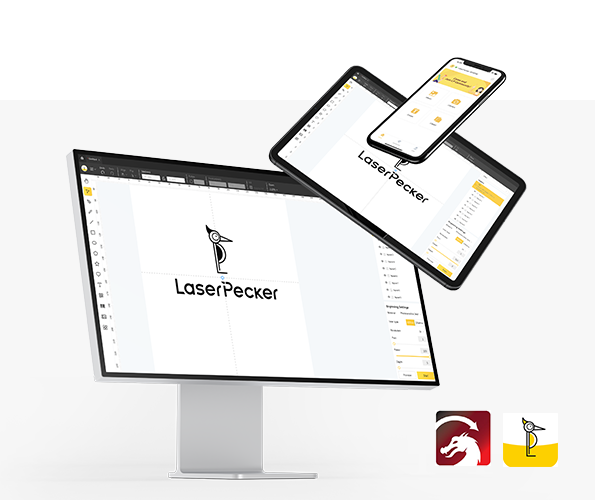
*You can also visit the LaserPecker CraftZone for inspiration or to purchase files online.
Now it's time to set the parameters of the engraving machine.
First: Make sure your engraving machine is switched on, and then connect it to your computer or mobile device via the appropriate interface (WiFi, USB, Bluetooth, etc.).
Second: Open the LaserPecker Design Space and upload your design. (Formats such as JPG/PNG/G-code/SVG etc. are all acceptable)
Third: Position the objects in the designated work area, turn on preview mode, and ensure that the laser is properly focused.
Fourth: Check if your design fits correctly on the surface of the business card. If not, adjust the size and position to match the dimensions of the material.

Finally, access the software's laser settings to adjust parameters such as power, speed, and resolution to suit the characteristics and complexity of your business card design. You might be wondering, "How much laser power is needed to engrave business cards?" Don't worry, I have the answer for you!
For best results, LaserPecker LP5 recommends the following material settings for engraving business cards: 2W 1064nm IR laser; Resolution: 2k; Power: 100%; Depth: 3%; Passes: 1.
When operating a laser engraving machine, it is recommended to wear safety glasses or use a laser protective cover to protect your eyes and body from potential hazards, as the laser can pose risks.
Furthermore, please note that smoke or toxic gases may be produced during the laser engraving process. Wearing a mask or using an air purifier is essential for safety.
To explore further recommended LaserPecker engraving and cutting parameters , consult the settings overview, which applies to all LaserPecker machines, including LP1, LP2, LP3, LP4 and LP5.

Step 5: Laser-engrave your personalized business cards now
Double-check everything to avoid any mistakes. Then press the start button and watch the magic happen. The laser brings your design to life. Keep an eye on the process, and you're all set!
Once finished, clean off any residue with a microfiber cloth or mild cleaner. Check the finished cards to ensure they are sharp and consistent.
Conclusion
With the right tools, innovative business card ideas, and meticulous attention to detail, you can create cards that are not only presented but also remembered. Whether you choose wood for its warmth, metal for its expressiveness, or acrylic for its modern sharpness, the precision of laser engraving ensures that every detail is crisp and memorable.
By following the steps in this guide, even beginners can start designing and engraving their own impressive business cards. With the right tools, a little creativity, and attention to detail, you can create personalized business cards that will not only be handed out but also remembered.


