





















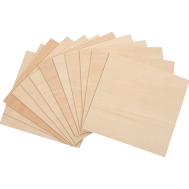
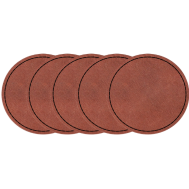
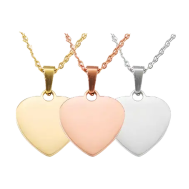
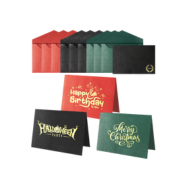






















Personalized necklaces are a timeless way to customize jewelry and give it very special meaning. Whether it's initials, an important date, or a unique design, various methods exist, ranging from modern high-tech machines to traditional hand tools.
In this article, we present 5 practical methods for engraving a necklace—each with suitable tools, techniques, advantages, and limitations.

In this Article:
- Method 1: Engrave a Necklace with a Laser Engraving Machine
- Method 2: Engrave a Necklace with a Rotary Tool or Engraving Pen
- Method 3: Engrave a Necklace with a Chisel and Hammer (Hand Engraving)
- Method 4: Engrave a Necklace with a Jewelry CNC Machine
- Method 5: Engrave a Necklace with a Cricut Maker
Method 1: Engrave a Necklace with a Laser Engraving Machine
Engraving a necklace with a laser engraving machine is one of the most accurate, efficient, and professional methods. Whether you're working with metal, wood, leather, or acrylic pendants, laser engraving delivers clean and consistent results, even on small or intricate pieces.
Required Tools & Materials for Laser Engraving a Necklace:
-
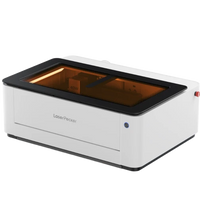
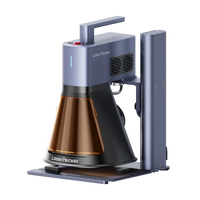
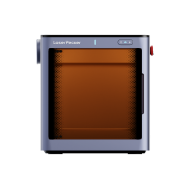
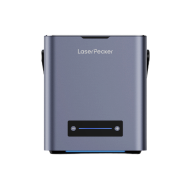
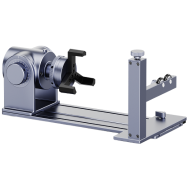
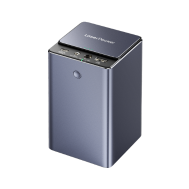
Laser engraving machine for necklaces
Fiber laser: Best for metals (e.g., gold, silver, stainless steel, titanium)
Diode laser: Can be used for wood, acrylic, or coated rings - Design software (e.g., LightBurn, LaserPecker Software & App)
- Necklace pendant or tag (metal, wood, acrylic, etc.)
Steps to Engrave a Necklace:
Step 1: Prepare the Design
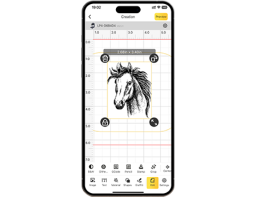
Create or import your design into the engraving software. Add text, logos, patterns, or even photos. Adjust the dimensions to fit the size of the pendant.
Step 2: Secure the Pendant
Place the necklace pendant flat on the workbench or secure it with a fixture.
Step 3: Adjust Machine Settings
Set the appropriate power, speed, and line spacing depending on the material. Precisely focus the laser with auto or manual focusing.
Step 4: Perform a Test Engraving (Optional, but Recommended)
Test the settings on a similar scrap piece to optimize the parameters.
Step 5: Engrave the Necklace
Start the engraving process. Monitor the engraving for any misalignment or smoke development (use air assist or ventilation if necessary).
Step 6: Clean the Pendant
Wipe off residues with a damp cloth or polish metal if necessary.
Advantages & Disadvantages of Laser Engraving a Necklace:
Advantages:
- High precision and detail, even with small text or complex designs
- Fast production – ideal for batch engraving
- Compatible with various materials (metal, wood, acrylic, leather)
- Non-contact engraving – no tool wear or surface damage
- Perfect for commercial applications and personalized gifts
Disadvantages:
- High initial cost for the machine
💡 Ideal for Laser Engraving a Necklace:
- Stainless steel tags
- Bar pendants
- Dog tags
- Wood or acrylic pendants
- Logo engraving on name tags
Method 2: Engrave a Necklace with a Rotary Tool or Engraving Pen
Engraving a necklace with a rotary tool or a handheld engraving pen is a popular choice for beginners and DIY enthusiasts. It's a cost-effective, practical method that gives you the flexibility to personalize necklaces without needing expensive machinery.
Required Tools & Equipment:
- Rotary tool (e.g., Dremel) or engraving pen
- Diamond or carbide burrs (for metal)
- Necklace pendant or tag (preferably soft metals like aluminum, brass, or copper; also works on wood and acrylic)
- Clamp or vise to hold the pendant steady
- Masking tape or stencil (optional, for guiding the design)
- Pencil or marker to sketch the design
Steps to Engrave a Necklace:
Step 1: Sketch or Transfer the Design
Draw your design or text directly onto the pendant with a pencil. You can also use a stencil or apply masking tape and trace the design.
Step 2: Secure the Pendant
Secure the pendant firmly with a clamp or non-slip mat to prevent movement.
Step 3: Choose the Right Burr
Insert a fine diamond or engraving burr for precise work.
Step 4: Start Engraving
Turn the rotary tool to a low to medium speed and carefully engrave over your design—let the burr do the work and apply light pressure. Take your time with curves and small texts to avoid slipping.
Step 5: Clean and Polish
Wipe the surface clean with a soft cloth. You can also use fine sandpaper or polish to remove burrs or rough edges.
Advantages & Disadvantages of Engraving with a Rotary Tool or Engraving Pen:
Advantages:
- Cost-effective – low entry costs compared to laser or CNC machines
- Beginner-friendly – easy to learn with a little practice
- Portable – small, lightweight tools for home use
- Suitable for various materials: metal, wood, plastic, acrylic
- Ideal for individual unique pieces or handmade gifts
Disadvantages:
- Less precise than digital methods (laser/CNC)
- Difficult to control, especially with small or smooth pendants
- Time-consuming for detailed designs
- Not suitable for mass production
- Vibrations and noise can be fatiguing during longer sessions
💡 A Rotary Tool or Engraving Pen is Best Suited for:
- Soft metal pendants or charms
- Handmade gifts or craft items for markets
- DIY personalization without digital tools
- Engraving initials, dates, or simple symbols
Method 3: Engrave a Necklace with a Chisel and Hammer (Hand Engraving)
Hand engraving with a chisel and hammer is the oldest traditional method of jewelry engraving. It lends a timeless, handcrafted look and is ideal for those who value artistry and unique, detailed work.
Required Tools & Materials:
- Engraving chisel or graver (various shapes and sizes)
- Small jeweler's hammer
- Necklace pendant or tag (typically soft metals like gold, silver, or brass)
- Work board or engraving block to stabilize the piece
- Magnifying glass or microscope for detailed work
- Pencil or marker for sketching the design
- Safety glasses and gloves
Steps to Engrave a Necklace:
Step 1: Prepare the Design
Lightly sketch your design or text onto the pendant with a pencil or marker. Plan the engraving depth and direction carefully.
Step 2: Secure the Pendant
Place the pendant firmly on a work board or engraving block to stabilize it.
Step 3: Select the Chisel
Choose the appropriate chisel type based on your design – flat, V-shaped, or rounded.
Step 4: Begin Engraving
Hold the chisel at the correct angle. Gently tap the chisel with the jeweler's hammer to carve out the design. Work slowly and precisely along your design lines.
Step 5: Refine and Clean
Use fine files or polishing tools to smooth rough edges. Clean the pendant with a soft cloth to remove dust and residues.
Advantages & Disadvantages of Hand Engraving:
Advantages:
- Unique, handcrafted appearance with artistic value
- Deep, durable engraving that lasts
- No power supply or high-tech machines required
Disadvantages:
- Requires a lot of skill, practice, and patience
- More labor-intensive process compared to machine engraving
- Errors are difficult to correct
- Not suitable for very hard metals without experience
💡 Hand Engraving is Best Suited for:
- High-quality, custom jewelry
- Vintage or antique style engravings
- Personalized gifts with artisanal charm
- Soft metal pendants that require deep, textured designs
Method 4: Engrave a Necklace with a Jewelry CNC Machine
Engraving necklaces with a CNC (Computer Numerical Control) machine combines precise milling with automation. This method is ideal for jewelers or businesses that desire detailed and uniform engravings on metal or other hard materials.
Required Tools & Equipment:
- Jewelry CNC engraving machine (a milling machine for small, detailed work)
- Computer with CAD/CAM software
- Cutting/engraving bits (diamond-coated or carbide)
- Necklace pendant or tag (metal like gold, silver, stainless steel, or brass)
- Clamping device or vise to secure the pendant during processing
- Safety equipment (safety glasses, gloves, dust mask)
Steps to Engrave a Necklace:
Step 1: Create the Engraving Design
Create or import your design into the CAD software. Convert the design into a CNC-compatible format using CAM software. Adjust parameters such as cutting depth, speed, and tool path.
Step 2: Set Up the Machine
Secure the necklace pendant firmly in the CNC machine's clamping device. Install the appropriate engraving bit.
Step 3: Perform a Test Simulation
Use software simulation to check the tool path and avoid errors.
Step 4: Start Engraving
Start the milling process and monitor for any potential issues. The CNC machine will precisely engrave your design onto the pendant's surface.
Step 5: Finish and Clean
Carefully remove the pendant. Clean and polish the engraved area to enhance its appearance.
Advantages & Disadvantages of Engraving with a Jewelry CNC Machine
Advantages:
- High precision and repeatability for multiple pieces
- Suitable for hard metals and complex shapes
- Allows for intricate and detailed designs
- Automated process reduces manual labor
Disadvantages:
- High initial cost and maintenance for the machine
- Requires training to operate CAD/CAM software and CNC machines
💡 A Jewelry CNC Machine is Best Suited for:
- Professional jewelers or small manufacturing businesses
- Detailed logos, patterns, and serial numbers on metal pendants
- Hard metals where laser engraving is less effective
Method 5: Engrave a Necklace with a Cricut Maker
The Cricut Maker is a versatile cutting machine highly popular among crafters. Although primarily designed for materials like vinyl, paper, and fabric, with the right tools and accessories, it can also be used for light engraving or embossing on softer materials such as leather or anodized aluminum.
Required Tools & Materials:
- Engraving or embossing tool (Cricut Engraving Tip or Debossing Tip)
- Computer or mobile device with Cricut Design Space software
- Necklace pendant or tag made from compatible materials (leather, anodized aluminum, soft wood, acrylic)
- Masking tape (optional, to secure the pendant)
Steps to Engrave a Necklace:
Step 1: Create the Design
Create or upload your design to Cricut Design Space. Adjust the size to fit the pendant.
Step 2: Prepare the Pendant
Secure the pendant to the cutting mat so it doesn't move during engraving. Use masking tape if necessary.
Step 3: Insert the Engraving Tool
Insert the engraving or debossing tip into the tool holder of the Cricut Maker.
Step 4: Select Material Settings
Choose the correct material profile in the software (e.g., leather, anodized aluminum) and adjust pressure and speed if your machine/software allows.
Step 5: Start Engraving
Send the design to the Cricut Maker and let it engrave or emboss the pendant. Monitor the process to achieve the desired engraving depth and detail.
Step 6: Clean
Remove the pendant and wipe off any residue. Light polishing can further improve the final result.
Advantages & Disadvantages of Engraving with a Cricut Maker
Advantages:
- Affordable and accessible for crafters and hobbyists
- Easy to use with user-friendly software
- Ideal for soft materials like leather and anodized aluminum
- Perfect for simple designs, monograms, or decorative patterns
Disadvantages:
- Limited to soft or coated materials; not suitable for hard metals
- Engraving depth and detail are limited compared to laser or CNC machines
💡 A Cricut Maker is Best Suited for:
- Leather pendants with personalized designs
- Anodized aluminum tags or jewelry with light engraving
- Hobbyists who want to personalize soft material pendants
Conclusion
Engraving a necklace can be as simple or as detailed as you wish. From the precision of laser and CNC engraving to the artisanal charm of hand engraving, each method offers unique advantages, depending on your needs, budget, and experience level.
For hobbyists, tools like rotary engravers and even the Cricut Maker open up creative possibilities at home. By understanding these five methods, you can choose the best technique to add a personal touch to your necklaces—and turn each piece into an engraved necklace.