















































Paper cutting is a fundamental skill in many craft and art projects. Whether you're making greeting cards, scrapbooking, or creating intricate paper art, mastering the right cutting techniques can make a big difference to your final result.
In this guide, we'll introduce you to four creative methods for cutting paper , from traditional paper-cutting tools to modern electronic paper-cutting machines. Each method offers unique advantages, depending on the complexity of your project, the required level of precision, and the tools available. Let's dive in and discover how you can bring your paper creations to life.

This article contains:
- Method 1: Cutting paper with a laser cutter
- Method 2: Cut paper with a utility knife
- Method 3: Cut paper with scissors
- Method 4: Cutting paper with a Cricut Maker
Method 1: Cutting paper with a laser cutter
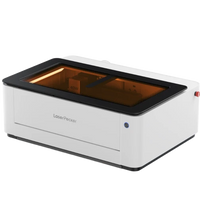
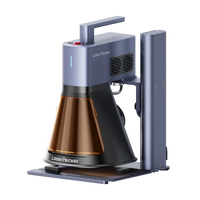
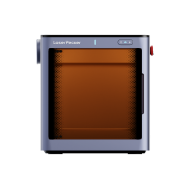
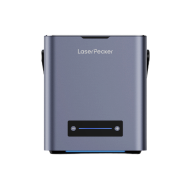
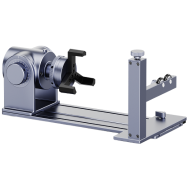
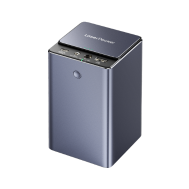
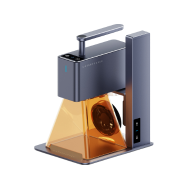
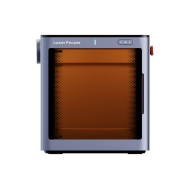
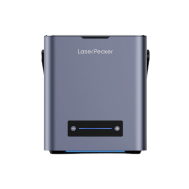
Using a laser cutter for paper allows for the creation of extremely precise and intricate designs that would be difficult or impossible to achieve by hand. This method is particularly popular for professional crafts, wedding invitations, art projects, and commercial packaging. Laser cutting paper is fast, consistent, and ideal for mass production or detailed patterns.
Required tools & materials
- laser engraver
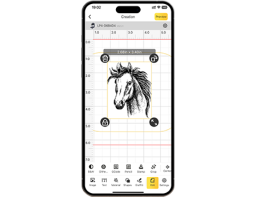
- Design software (e.g. LDS , LightBurn, RDWorks, CorelDRAW)
- High-quality paper or cardboard
Steps for cutting paper with a laser cutter
Step 1: Prepare the design
Create your own pattern or import it into the software.
Step 2: Prepare the paper
Place the paper flat on the laser table bed. If necessary, use light-tacky tape or clamps to prevent slipping.
Step 3: Adjust laser settings
Choose low power and high speed to avoid burnt edges.
Step 4: Cut out the pattern from paper
Start the laser cutting process and monitor the paper for movement or burning.
Step 5: Take it out and look
Carefully remove the paper and discard any loose cut-out pieces.
Advantages and disadvantages of paper cutting with a laser cutter
Advantages
- Extremely precise and clean cuts
- Enables the creation of highly detailed, complex designs.
- Fast and repeatable – ideal for mass production
Disadvantages
- Requires the use of a laser cutter (high initial costs)
Method 2: Cut paper with a utility knife
Cutting paper with a craft knife (also called an X-Acto knife or precision knife) is a popular manual method for achieving clean and precise cuts, especially with detailed or intricate paper designs. This technique is ideal for crafts, scrapbooking, and DIY projects where you need more control than scissors can offer.
Required tools & materials
- Utility knife / precision knife (with a sharp blade)
- Cutting mat (self-healing recommended to protect the surface)
- Ruler or straight edge (metal is best)
- Pencil (optional, for marking the cutting lines)
- Paper to be cut
Steps for cutting paper with a utility knife
Step 1: Prepare your workspace
Place the cutting mat on a stable surface to protect your table or desk.
Step 2: Mark design
Use a pencil to lightly sketch or mark the cutting lines on your paper if needed.
Step 3: Position the ruler
Align the ruler along the cutting line to guide the knife for a straight cut.
Step 4: Cut with the utility knife
Hold the knife firmly and guide the blade along the marked line with a steady hand, pressing firmly but carefully.
Step 5: Repeat if necessary
With thicker paper, you may need to make several passes with the knife to cut through it completely.
Step 6: Finishing and cleaning up
Carefully lift the cut paper from the mat. Replace the blade when it becomes dull for best results.
Advantages and disadvantages of cutting paper with a utility knife
Advantages
- Enables very precise and detailed cuts.
Disadvantages
- Requires practice to avoid mistakes or injuries.
- Slower than some automated methods.
- Not suitable for very large intersections.
Method 3: Cut paper with scissors
Cutting paper with scissors is one of the most common and straightforward methods. It's quick and easy – perfect for simple shapes, crafts, and everyday cutting tasks. Scissors are widely available, readily accessible, and safe for users of all ages, which is why this method is equally popular with children and adults.
Required tools & materials
- Sharp scissors (preferably with a pointed cutting edge for precise work)
- Paper to be cut
- Pencil (optional, for drawing lines)
Steps for cutting paper with scissors
Step 1: Prepare the paper
Place the paper on a flat surface. If necessary, lightly sketch the desired shape or cutting lines beforehand.
Step 2: Hold the scissors correctly
Hold the scissors with your dominant hand and stabilize the paper with your other hand.
Step 3: Begin cutting
Cut along the marked line or the edge of the paper. For straight cuts, hold the scissors as still as possible and work with smooth, continuous movements.
Step 4: For curves or shapes
Open and close the scissors in a controlled manner and rotate the paper with your non-cutting hand to follow curves precisely.
Step 5: Complete the cut
After cutting, check the edges and trim any uneven areas if necessary.
Method 4: Cutting paper with a Cricut Maker
The Cricut Maker is a versatile electronic paper cutter that automates the precise cutting of paper and many other materials. It's perfect for crafters, hobbyists, and professionals who want to create clean, intricate designs without manual effort. Thanks to its computer-based accuracy, the Cricut Maker can cut complex patterns, shapes, and even text quickly and consistently.
Required tools & materials
- Cricut Maker
- Engraving tip or deep-cut blade
- Paper to be cut (compatible with Cricut cutting settings)
- Design Software (Cricut Design Space)
- Weeding tool (optional, for removing excess parts)
Steps for cutting paper with a Cricut
Step 1: Create or select a design
Use Cricut Design Space to create your own design or choose from thousands of pre-made templates.
Step 2: Prepare the paper and mat
Place the paper on the cutting mat and align it according to the software instructions.
Step 3: Insert the mat
Insert the mat into the Cricut Maker machine and make sure it is correctly aligned.
Step 4: Set cutting settings
In the software, select the correct material type so that blade pressure and cutting speed are automatically adjusted.
Step 5: Start cutting
Send the design to the machine and let it cut the paper precisely.
Step 6: Remove and finish
Once the cutting is complete, remove the mat and carefully peel off your cut paper. Use weeding tools to remove any small pieces if needed.
Conclusion
Choosing the right paper-cutting method depends on your project requirements, your skill level, and the paper-cutting tools available. Whether you prefer the precision of a craft knife, the simplicity of scissors, or the automation of a Cricut Maker, each technique can help you achieve beautiful, clean cuts for your paper art. Explore the possibilities and find your perfect method. Let your creativity flow with every cut!