













































Since its invention, clear or transparent acrylic has established itself as an indispensable material in everyday life, offering versatile applications and almost unlimited creative opportunities.
Many know that colored acrylic is easy to engrave and cut. But what about clear acrylic? Can clear/transparent acrylic be laser engraved? What steps are necessary to achieve optimal results when laser engraving on transparent acrylic?
Plus, we'll introduce some exciting project ideas that will inspire your next creative masterpiece!

In this article:
Part 1: Can transparent acrylic be laser engraved?

Not all lasers are suitable for effectively engraving transparent acrylic. For example, 450nm diode lasers and 1064nm fiber lasers generally cannot directly engrave clear acrylic, as clear acrylic is transparent to these wavelengths – the laser light simply passes through without being absorbed. (CO₂ lasers with a wavelength of 10,600 nm are excellent for engraving and cutting transparent acrylic.)
For laser engraving on transparent acrylic to work, the material must absorb the laser energy and convert it into heat to create a visible mark. Since clear acrylic hardly absorbs these wavelengths, the effect is usually minimal.
So, can transparent acrylic be engraved with a 450nm diode laser?
Don't worry. There are some techniques you can use to engrave clear acrylic with a diode laser. Below, we introduce four effective methods:
Part 2: How to laser engrave transparent acrylic correctly
Laser engraving on transparent acrylic can be challenging due to its transparency, as the laser beam simply passes through the material without effectively marking the surface.
For sharp, high-quality engravings, you need to create contrast and efficiently absorb laser energy. Here are four effective methods to achieve the best results when engraving clear acrylic:
Option 1: Use black cardstock

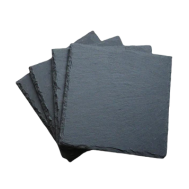
Placing a sheet of black cardstock under the acrylic improves the engraving process. Any dark backing absorbs excess laser energy and minimizes unwanted reflections. This technique is particularly useful when using a diode laser, which otherwise struggles to engrave transparent material.
Cut a piece of black cardstock slightly larger than your acrylic sheet and place it under the acrylic on the laser cutting bed. Ensure both materials are fixed during engraving.
Option 2: Use a marker

Coloring the engraving area with a black marker helps to focus the laser beam and allow it to absorb effectively. This method is quick and especially suitable for fine details.
Color the area to be engraved multiple times until the acrylic is opaque. Allow the ink to dry completely before engraving. After engraving, you can remove any residue with water and a damp cloth.
Option 3: Use tempera paints

Applying a thin layer of tempera paint to the acrylic ensures that the laser beam works more efficiently and produces sharper engravings. This option is particularly suitable for large or detailed designs.
Apply the paint evenly with a brush or spray bottle and let it dry completely. After engraving, wipe carefully to avoid scratches.
Option 4: Use masking tape

A thin layer of masking tape (e.g., painter's tape) can improve laser absorption and reduce reflections that could lead to uneven engravings.
Completely cover the engraving area with the tape, smooth out any air bubbles, and wait for the acrylic to cool down after engraving. Then remove the tape and clean off any adhesive residue.
*Extra Tip: Choose the right machine
For optimal engraving of transparent acrylic, you need a suitable tool that simplifies the process and delivers precise, durable results.
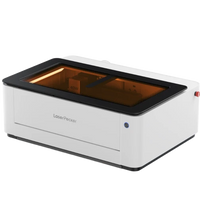
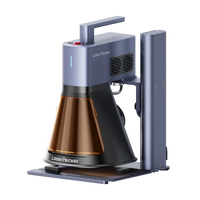
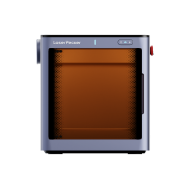
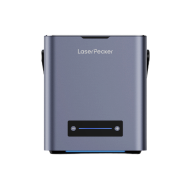
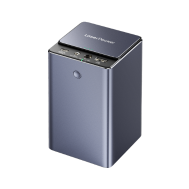
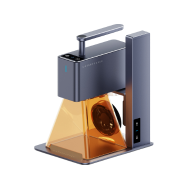
Many wonder which laser is best for engraving clear acrylic. For home or small projects, diode lasers like LP5, LP4, or LP2 are ideal. These clear acrylic laser engraving machines are user-friendly and budget-friendly.

🧪 Case Study – Laser Engraving on Transparent Acrylic LED Light with Spotify Code
Combine laser engraving with LED lighting to create a personalized acrylic display with a Spotify code. Engrave the code along with a song title or album cover onto clear acrylic and mount it on an LED base. When the code is scanned with a mobile phone, the song plays instantly – a perfect gift for music lovers!
Materials needed for laser engraving on transparent acrylic:
- Material: transparent acrylic sheet
- Laser Engraving Machine: Diode laser (engrave transparent acrylic with diode laser)
- Design: Text, images, patterns, etc.
- Tools: Cardboard, marker, tempera paints, or masking tape
Step 1: Choose your material – Clear acrylic sheet
Choose an acrylic sheet that is not too thin, as it can deform due to laser heat otherwise.

Step 2: Choose the right laser engraving machine
Make sure your engraving machine is suitable for transparent acrylic. Check different application scenarios and choose the machine accordingly.
Here we use LaserPecker 5 (LP5), a dual-laser and multifunctional laser engraver.
Don't have a LaserPecker 5? No problem! Use LP4, LP2 or another laser engraving machine suitable for acrylic, and proceed with the next steps.
Step 3: Prepare your engraving design
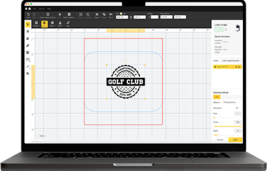
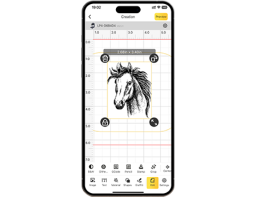
Use the LaserPecker graphic design app/software, create your design, and save it as SVG, PNG, or in another format. Consider size, shape, and details.

Source: Design for Laser Engraving on Clear Acrylic
Step 4: Set up the laser engraving machine
First, connect the laser engraver to your computer or mobile device and open the LaserPecker Design App or LightBurn to load your design.
Second, place the acrylic in the work area and activate the preview mode to ensure the laser is correctly focused. When the two red dots overlap, the focus is optimal!
Third, check if the design fits the acrylic. If not, adjust the size and position.

Finally, adjust laser parameters such as power, speed, and resolution in the software. You might be wondering: "What laser power is needed for clear acrylic?" Don't worry, here are recommended parameters:
LP5 (20 W 450 nm laser): Resolution: 2k; Power: 28%; Depth: 26%; Passes: 1
LP4 (10 W 450 nm laser): Resolution: 2k; Power: 100%; Depth: 15%; Passes: 1
Further recommended settings for all LP machines, including LP1 to LP5, can be found in the settings table.
Step 5: Engrave your transparent acrylic
Check everything carefully to avoid errors. Then press start and watch the engraving. The laser brings your design to life!
Wear safety glasses or use a laser safety cover when working to protect your eyes and body from potential hazards, as blue lasers pose risks.
Also, note that smoke or toxic gases may be produced during laser engraving. Wearing a mask or using an air purifier is recommended.
After engraving is complete, rinse the acrylic under running water or move it gently. Do not rub the surface as it scratches easily.
💡 More Inspiration – Two Creative Projects for Laser Engraving on Transparent Acrylic
If you're looking for unique ways to laser engrave clear acrylic, here are two creative project ideas:
Clear Acrylic with Laser Engraved Photo

Source: LP5 Official Facebook Group
Transform your favorite photos into stunning engravings on clear acrylic. Using a background technique – e.g., black cardstock or temporary coating – you can achieve high-contrast, detailed engravings. Perfect as a gift, for home decor, or commemorative plaques.
Laser Engraved Acrylic Sign

Acrylic signs give any room a modern look. Whether it's a company logo, welcome sign, or decorative quote – laser engraving on transparent acrylic ensures a professional and durable result. For better visibility, you can place the sign against a dark background or use color for additional contrast.