










































Personalized tote bags are super popular these days, both as DIY projects and for small shops. They’re perfect as individual gifts, promotional items, stylish accessories, or brand merchandise because they’re practical and offer plenty of room for creativity.
If you enjoy crafting, working creatively, or running a small business, knowing how to customize bags can help you create great designs that also sell well.
In this guide, we’ll show you 6 main methods for making personalized tote bags. We’ll also compare the methods and explain how to achieve the best results.

In this article:
- Part 1: Why Personalized Tote Bags Are So Popular
- Part 2: Essential Materials for Personalizing Tote Bags
- Part 3: 6 Methods for Making Personalized Tote Bags
- Method 1: Screen Printing
- Method 2: DTG Printing
- Method 3: Heat Transfer
- Method 4: Sublimation
- Method 5: Laser Engraving
- Method 6: Embroidery
- Part 4: Which Method Is Best for You
- Part 5: How to Make Personalized Tote Bags with the LP4
- Part 6: FAQs About Making Personalized Tote Bags
Part 1: Why Personalized Tote Bags Are So Popular
Personalized tote bags are popular because they combine practicality with creativity. They are reusable, affordable, and ideal for daily use, making them a great alternative to single-use bags.
Thanks to countless design possibilities, tote bags are perfect as gifts, for events, branding, or products for small businesses.
Part 2: Essential Materials for Personalizing Tote Bags
Before you start designing your tote bag, make sure you have all the necessary materials ready. Commonly used fabrics for tote bags include:
- Cotton canvas
- Linen
- Polyester
- Denim
- Jute
- Faux leather
Depending on the chosen customization method, you may also need:
- A laser engraver
- Textile paints or printing inks
- Heat Transfer Vinyl (HTV)
- Embroidery floss
- ...
Choosing the right materials ensures that your tote bag remains durable, your designs look sharp, and the colors don't fade easily.
Part 3: 8 Methods for Designing Personalized Tote Bags
If you want to personalize tote bags, there are many different options. Here are eight popular methods that are particularly suitable.
Method 1: Screen Printing
Screen printing is a well-known, classic method for large-quantity printing. It involves pushing ink through a fine mesh screen onto the tote bags. This results in vibrant, opaque colors and is excellent for large designs or logos with few colors.
Screen printing is particularly suitable for:
- Promotional tote bags
- Company events
- Simple designs with few colors
- Large-quantity production
Method 2: DTG Printing
DTG printing works similarly to an inkjet printer – but for tote bags. It involves directly printing onto the fabric with special water-based inks. This allows for very fine details and many colors.
DTG printing is ideal for:
- Multi-colored motifs
- Photos or detailed images
- Individual custom pieces
However, note: This method works best on fabrics with a high cotton content and takes more time for larger orders.
Method 3: Heat Transfer
Heat transfer is a simple method to apply designs to special transfer films or transfer paper using heat and pressure. This technique is particularly popular among small shops and beginners because it is straightforward, cost-effective, and compatible with many different materials.
This method is excellent for:
- Small quantities of custom bags
- Detailed or multi-colored designs
- Personalized gifts
- Company logos
Method 4: Sublimation
Sublimation uses heat to transfer dye onto polyester fabric. This creates particularly durable, vibrant prints that neither peel nor fade.
This method is particularly well-suited for:
- Polyester tote bags (at least 65% polyester)
- Multi-colored motifs
- Lightweight promotional bags
However, note: Sublimation does not work on cotton.
Method 5: Laser Engraving
Laser engraving is a process where designs are engraved directly into the material. It is excellent for canvas bags, denim, and other fabric materials. Due to its high precision, laser engraving is ideal for logos, names, patterns, and fine details.
Here are some benefits of laser engraving on tote bags:
- It is durable
- It delivers clear and detailed results
- It provides a professional look
- It is suitable for branding, gifts, and larger production runs
Method 6: Embroidery
Embroidery involves stitching designs directly onto the tote bag. This creates a textured, high-quality look with great durability.
Embroidery is particularly well-suited for:
- Monograms
- Company logos
- Decorative patterns
- High-end boutique bags
However, note: It takes longer to produce and is less suitable for extremely detailed images.
| Method | Durability | Best Bag Material | Ideal for |
|---|---|---|---|
| Screen Printing | ★★★★☆ | Cotton, Canvas | Bulk orders, simple designs |
| DTG Printing | ★★★☆☆ | Cotton | Full-color designs |
| Heat Transfer | ★★★☆☆ | Cotton, Polyester | Small quantities, beginners |
| Sublimation | ★★★★★ | Polyester | Durable full-color prints |
| Laser Engraving | ★★★★★ | Canvas, Denim, Fabric | Premium logos, personalization |
| Embroidery | ★★★★★ | Cotton, Denim, Canvas | High-quality designs |
Part 4: Which method is best for you?
If you are looking for a fast, professional, and durable method for personalization, laser engraving is the best choice. It provides a high-quality look with crisp details and consistent results – ideal for personal projects or small business branding.
Laser engraving is particularly well-suited for:
- Canvas bags
- Denim clothing
- High-quality brand personalization
- Small craft shops
- Custom gifts and wedding items
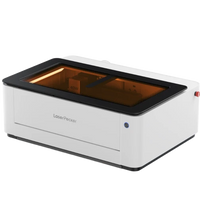
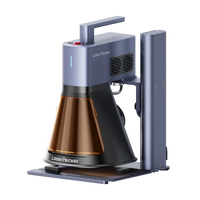
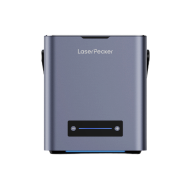
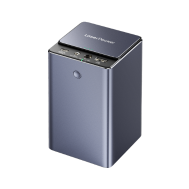
Among the many laser engravers available, the LP4 is particularly user-friendly and versatile.
Why the LP4 stands out:
First Dual Laser System
It combines a 10W blue diode laser with a 2W infrared laser, allowing it to engrave leather, fabric, wood, coated materials, and even metal.
Smart Touchscreen Control
Lasers can be switched quickly, and with the "Engrave Again" function, projects can be easily re-executed – saving time.
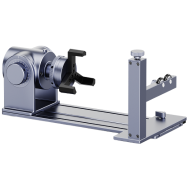
Engraving from Various Angles
Angles can be flexibly adjusted – ideal for bag compartments, straps, leather patches, or irregular surfaces.
Fast & Precise
The LP4 engraves with high speed and sharp details – perfect for professional branding.
Compatible with Popular Software
It works seamlessly with LightBurn and LaserPecker Design Space – on both computers and smartphones.
All these features make the LP4 an excellent choice for personalizing tote bags – especially if you want to create clean, detailed, and professional-looking designs.
Part 5: How to Personalize Tote Bags with the LP4
Here's how you can easily personalize tote bags with the LP4's dual-laser system:
Step 1: Prepare your design
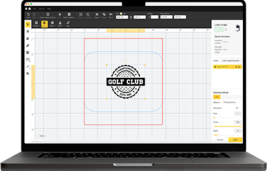
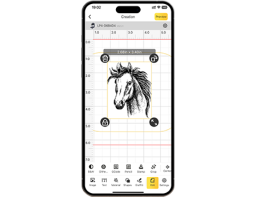
Create or prepare your design (graphic, logo, or name). Vector formats are best. Then, upload the design to LightBurn or LaserPecker Design Space. With the LP4's camera, you can see exactly where the design will be placed on the bag or patch.
Step 2: Select the appropriate laser
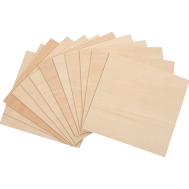
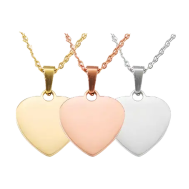
For wood, bamboo, or acrylic pendants, as well as certain fabrics like canvas and denim, use the 10W diode laser.
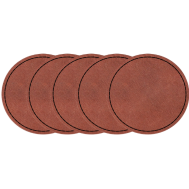
The 2W IR laser is suitable for leather, metal, and coated surfaces.
Step 3: Prepare the bag
Lay the tote bag flat and smooth it carefully. If you're working with a patch, attach it to the bag first.
The LP4 can be adjusted to various angles, which is especially helpful for straps and bag compartments.
Step 4: Adjust engraving settings
Adjust speed, power, and the number of passes depending on the material:
- Leather: Medium speed, low to medium power.
- Fabric: Low power to prevent burning the material.
- Canvas and Denim: Low to medium speed and power; multiple light passes may be necessary for clean results.
First, perform a test run to ensure everything looks correct.
Step 5: Begin engraving
The LP4 engraves quickly (up to 4000 mm/s) while ensuring sharp details.
Step 6: Post-processing
Then, remove any residue. If you have engraved leather, you can additionally use leather care products. If you used a patch, attach it to your tote bag now.
Part 6: FAQs about making personalized tote bags
1. Does laser engraving work on all tote bags?
Laser engraving works excellently on canvas, denim, and other fabric materials. If you are working with cotton or canvas bags, you should avoid direct engraving. Instead, you can engrave a leather patch and then sew it on. This looks high-quality and very professional.
2. Which personalization method lasts the longest?
Laser engraving and embroidery are the most durable methods. With engraving, the design is directly embedded into the material, so it neither fades nor washes out. Embroidery uses robust threads that withstand friction and washing well. Both methods last significantly longer than printing processes such as heat transfer or foil finishing.
3. Are leather labels more durable than prints?
Yes, laser-engraved leather labels are very robust because the design is burned directly into the leather. Printed designs can fade over time, while laser engravings remain clearly visible for a long time, even with daily use. That's why many brands use engraved leather patches for high-quality tote bags.
4. Is laser engraving suitable for branding?
Absolutely. Laser engraving provides a particularly clean, durable, and professional appearance. With devices like the LP4, designs can be reproduced quickly and consistently – even for larger quantities. Companies can engrave logos, serial numbers, codes, or names easily and cost-effectively.
Conclusion
Personalized tote bags are popular for gifts, DIY projects, and small business products because they can be customized with many different methods. However, if you value clean details, high durability, and truly eye-catching designs, laser engraving is the most reliable choice.
The LP4 delivers sharp, durable results on canvas, denim, and other fabrics – perfect for unique gifts or starting your own custom bag business. Ready to create your own engraved tote bags? Get started with the LP4 today.