









































Creating your own custom keycaps is a cool way to transform your keyboard from a simple tool into a personal statement. If you enjoy gaming, typing a lot, or are simply interested in keyboards, learning keycap making lets you showcase your style and makes typing a lot more fun.

This article contains:
- Part 1: Introduction to Custom Keycaps
- Part 2: Overview of adaptation methods
- Method 1: Laser engraving
- Method 2: Painting
- Method 3: Resin casting
- Method 4: 3D printing
- Method 5: Thermal sublimation
- Part 3: Step-by-step laser engraving of a keyboard
- Part 4: Tips for custom keycaps
- Part 5: FAQs about custom keycaps
Part 1: Introduction to Custom Keycaps
Custom keycaps are extremely popular among keyboard enthusiasts these days. Whether you only type occasionally, game constantly, or simply have a passion for keyboards, replacing the standard keycaps with cool, personalized designs can completely transform the look and feel of your keyboard.
What are keycaps?
Keycaps are the caps you strike when typing. They come in a wide variety of shapes, sizes, and materials. Besides the usual plastic caps, you can also find visually striking keycaps made from various plastics or resins. Beyond their appearance, the material and shape significantly influence the typing feel and even the sound.

Why create custom keycaps?
Here's why people are interested in custom keycaps:
- Express your personality: Let your keyboard do the talking and showcase your interests.
- Improving the typing experience: Special keycap shapes and materials can reduce finger strain and provide a more comfortable typing experience.
- Stunning aesthetics: A wide variety of designs and color options allows you to transform your keyboard into a unique work of art with custom keycaps.
Replacing keycaps is not just a simple replacement, but a process of bringing your personality to the keyboard.
Part 2: Overview of adaptation methods
Want your keyboard to stand out? Check out these fun DIY keycap methods. Each approach differs in difficulty, cost, and best materials.
Method 1: Laser engraving
Laser engraving? It's like using a focused beam of light to burn designs directly onto the object. Imagine its application on keycaps – you get razor-sharp designs, lettering, or even artwork that virtually never fade. No fading or wear!

Method 2: Painting
Painting keycaps lets your creativity run wild. Design your own colors, gradients, or sharp patterns. Acrylic paints, enamels, and markers are excellent choices. You can build up layers to enhance both the look and feel. After painting, apply a clear sealant to fix your design. Painting is especially well-suited for themed sets or adding small, personal messages to your keyboard. Masking allows you to perfectly execute patterns or mix colors to create extraordinary keys.
Method 3: Resin casting
Resin casting transforms keycaps into miniature works of art. You shape the cap and then fill it with tinted or clear resin. Add glitter, figures, or designs. Experiment with colors or layers to create depth, or decorate the caps with paintings and engravings. Resin casting requires some practice, but the result is durable, smooth caps with a 3D effect. It's ideal for keys and sets when you're feeling particularly creative.
Method 4: 3D printing
3D printing allows for the production of keycaps in virtually any imaginable shape. FDM printers are inexpensive and well-suited for basic production. Resin printers, on the other hand, excel at rendering the finest details and a smooth surface texture, making them ideal for more demanding creations.
Before manufacturing a complete product line, various shapes can be freely experimented with. After printing, the keycaps can be refined by sanding, painting, or applying resin coatings to achieve a higher-quality feel. This makes 3D printing the perfect choice for producing keycaps that are both functional and visually impressive.
Method 5: Thermal sublimation
Thermal sublimation uses heat to transfer ink into the keycaps, ensuring the designs adhere permanently. This works particularly well with two-color injection-molded PBT keycaps. Even with frequent use, lettering, logos, and designs remain clearly visible without peeling or fading.
However, special equipment and materials are required. For keyboards that require durable and crisp graphics (such as complete sets or themed configurations), this is a good choice. Sublimation can even be combined with painting or engraving to perfectly finish the individual keycaps.
Comparison of methods for custom keycaps
| method | difficulty | Cost | durability | Best Use Cases |
|---|---|---|---|---|
| Laser engraving | medium | medium-high | Super high | Detailed text/logos on metal or plastic |
| Paint | simply | low | high | Colorful designs, custom-made artwork |
| Resin casting | Difficult | medium-high | medium | 3D effects and embedded objects |
| 3D printing | medium | medium | high | Individual shapes and shaped keys |
| Thermosublimation | Difficult | high | Super high | Durable, colorful designs |
Part 3: Step-by-step laser engraving of a keyboard
Laser engraving is a great choice. It's both highly precise and durable. Here's how!
Device & materials for laser engraving keyboard
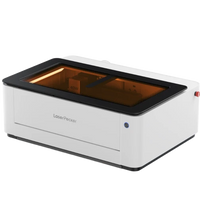
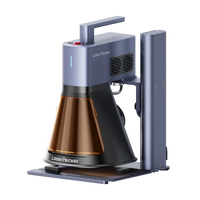
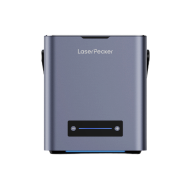
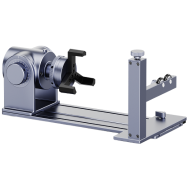
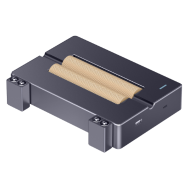
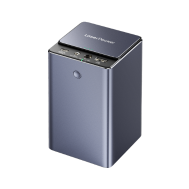
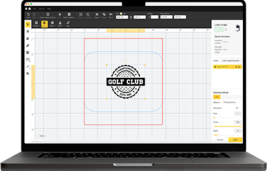
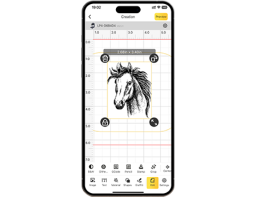
Laser engraving uses lasers to burn designs into keycaps, making them durable and giving them a crisp look. A device like the LaserPecker LP4 , which has two lasers (a 10W blue and a 2W infrared laser), makes this easy. It can engrave or cut many different types of keycap materials, such as ABS and PBT plastics, metal-coated materials, and even thin materials like balsa wood or acrylic. The LP4 features a touchscreen for switching between lasers, allows engraving from different angles for cool, sculpted keycaps, and operates super-fast at up to 4000 mm/s with good resolution.

When used with software like LightBurn or LaserPecker Design Space , along with safety glasses and good ventilation, both beginners and professionals can achieve truly great results. The "Engrave Again" function makes it incredibly easy to engrave the same designs repeatedly, which is especially useful if you want to create matching keycap sets.
Aside from the laser, there are a few other basic things that are really helpful. Get cleaning wipes to prepare your keycaps and masking tape to protect areas from the laser. Small clips will hold the keycaps in place, so everything stays in the right position. Good lighting and a clean workspace are important when working on detailed tasks, and gloves will protect you when handling the materials.
Steps for custom keycaps
- 1. Start with simple shapes or letters. A good image leads to a good result.
- 2. It is important that the keycaps are clean and dry. Areas that you wish to avoid should be covered with tape.
- 3. The power and speed should be adjusted according to the keycap material used. Dual lasers are particularly practical because you can easily switch between metal and plastic.
- 4. The keycap is placed in the engraver and the process is started. Engraving from different angles ensures that the laser remains accurate.
- 5. After removing the masking tape, clean the keycap and possibly apply a layer of clear lacquer to make the engraving last.
Part 4: Tips for custom keycaps
Want to make your keyboard look amazing? Turn it into a work of art with custom keycaps! Here are a few tips for achieving great-looking, durable, and cool results:
1. Understanding material differences
The keycap material greatly influences the results of various customization methods such as engraving, painting, or resin filling. For example, while ABS can be engraved quickly, it can become mirror-like with long-term use. PBT, on the other hand, is more heat-resistant and retains its surface texture longer. Always test your settings on spare keycaps first before working on the main set to avoid mistakes.
2. Add color, enhance the effect
Laser engraving looks great on its own. But adding colors, resin, or dyes can really make the design stand out. Consider filling the engraving area with resin to create more depth. Or color the letters/numbers for a beautiful effect. By combining different techniques, you can create a truly unique work of art!
3. Pay attention to the shape of the keycaps
Keycaps aren't always flat. Some have curved surfaces. Use multi-angle engraving to ensure your designs look consistent on all sides. This is especially important for custom keycaps, large letters or numbers, and engravings on the keycap's side surfaces.
4. Seal for long-lasting protection
Painted or resin-filled keycaps should always be sealed. A clear protective layer shields the design from finger sweat, wear and tear, and daily use – keeping your keycaps looking new for longer.
5. Start small and progress
Large designs are fascinating, but it's advisable to start with simple shapes or individual letters/numbers. Once you've mastered the technique, you can venture into complete sets, complex designs, or 3D effects without making mistakes.
Part 5: FAQs about custom keycaps
1. Can my keycaps be damaged by the laser engraving?
Not if you're careful! The trick is to adjust the laser power to the keycap material. Too high a power setting can melt or deform ABS or PBT plastics. Too low a power setting won't produce the desired effect. Start with a test keycap to find the optimal setting for your laser engraver. If the settings are correct, the engraving will last and won't flake off like paint.
2. Can I engrave designs with colors?
Sure, but keep in mind that the laser usually only scratches the surface or slightly alters the color. Want super bright colors? Try painting or filling the engraved pieces with resin afterward. This is great for logos if you want them to stand out. You can even add color sublimation or resin to engravings to achieve color and shading.
3. How long do the engraved patterns last?
Laser-engraved designs are exceptionally durable. Unlike stickers, they won't peel or fade. When engraved with a professional laser engraver onto high-quality ABS or PBT keycaps, they will last for years, even with frequent use. For cleaning, only water or mild soap solutions are recommended; harsh cleaning agents should be avoided.
4. What material should beginners choose for keycaps?
ABS and PBT plastics are both ideal options. Many stores offer them; they are inexpensive and easy to engrave and paint. ABS is softer, allowing for faster engraving, but can develop a shine over time. PBT is more robust and heat-resistant, making it particularly suitable for durable keycaps. Be sure to check the material before engraving to adjust the laser parameters accordingly.
5. Can I buy individual keycaps or complete sets?
Sure! Many online shops offer individual keycaps or complete sets. Individual keycaps are ideal for replacing old ones or testing a design. With complete sets, you can give your keyboard a uniform look. Combine different colors and engraving styles to give your keyboard a truly unique look.
Conclusion
The appeal of custom keycaps isn't just their appearance; they're a fun way to express your personal style. With various techniques like laser cutting, hand-painting, and more, there are countless options to create your desired design. Whether you want to customize just a few keys or the entire set, bespoke keycaps let your personal style shine through with every keystroke.