










































Looking to engrave a Zippo lighter? Engraving is the way to go. It transforms an ordinary lighter into something special – whether for yourself or as a gift. You can use quick machines or engrave by hand for an extra personal touch.
This simple guide will show you four popular methods to engrave a Zippo lighter, point out potential mistakes, provide care instructions, and answer your questions. Let's start personalizing a Zippo that will last a lifetime!

In this article:
- Part 1: Four Methods to Engrave a Zippo Lighter
- Method 1: Laser Engraver
- Method 2: Hammer & Chisel
- Method 3: Rotary Tool
- Method 4: CNC Machine
- Part 2: Avoiding Common Mistakes When Engraving a Zippo Lighter
- Part 3: How to Care for an Engraved Zippo Lighter
- Part 4: FAQs about Personalizing a Zippo Lighter
Part 1: Four Methods to Engrave a Zippo Lighter
Do you want your Zippo to stand out? Here are four popular methods to personalize your lighter, including tips on the skills and tools you'll need. The choice of method depends on the look you want to achieve.
Method 1: Engraving a Zippo Lighter with a Laser Engraver
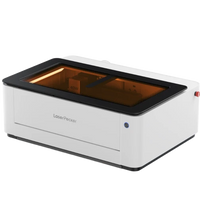
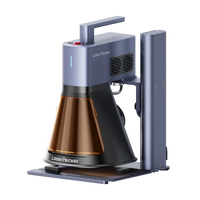
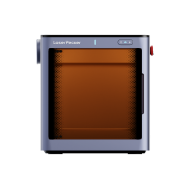
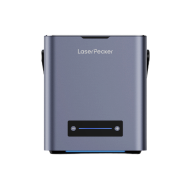
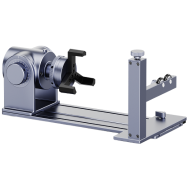
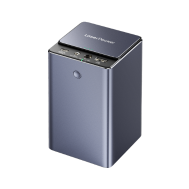
If you want a particularly precise and durable design, such as an intricate pattern with many details or a special logo, then a fiber laser engraver is the right choice. For example, LaserPecker LP5. It uses a 20W blue diode laser (450 nm) and a 20W fiber laser (1064 nm). It can work on metal, wood, leather, or even glass. This makes it suitable for almost any type of Zippo.
Advantages:
- Precise for small details: The laser can engrave small words, thin lines, or detailed images. This is often difficult to do by hand or with other tools.
- Durable: The engraving remains permanently visible. It doesn't fade, so your Zippo will look good for a long time.
- Versatile: The dual-laser system allows the use of different lasers. You can apply it to coated or uncoated metals, wood, and leather.
- Fast: The laser works quickly and delivers the same result every time. Ideal for gifts, personal use, or small orders for a business.
Basic Steps:
- Clean the lighter and secure it in the work area.
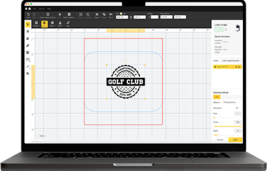
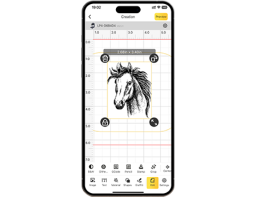
- Import or create your design using the compatible software.
- For metal Zippo lighters, a fiber laser is the best choice. It engraves cleanly and precisely without damaging the metal.
- Preview the engraving path.
- Start the engraving and monitor depth and contrast.
- Clean the surface and check the final design.

Method 2: Engraving a Zippo Lighter by Hand (Hammer & Chisel)
Hand engraving is a traditional method of personalizing a Zippo lighter. It involves using a hammer and chisel to carve designs into the metal.
Advantages:
- Completely handmade; each stroke is unique.
- Classic and artistic; no two pieces are alike.
- Ideal for collectors who value craftsmanship over speed.
Basic Steps:
- Prepare your tools: engraving chisel, small hammer, and a plain Zippo.
- Lightly sketch your design onto the Zippo (with a pencil).
- Carefully engrave along the lines with a hammer and chisel, slowly and steadily.
- Lightly polish the lighter to highlight the engraving.
Method 3: Engraving a Zippo Lighter with a Rotary Tool
Rotary tools like Dremels make engraving faster and easier, while still allowing for the creation of designs.
Advantages:
- More accurate than hand engraving.
- More affordable than laser engravers.
- Ideal for beginners to add names, designs, or small images.
Basic Steps:
- Clean the lighter. If it has a matte finish, use a cleaner beforehand.
- Cover areas that you don't want to engrave to avoid scratches.
- Attach a fine engraving bit to the rotary tool and follow the design smoothly.
- Remove the tape and polish the lighter to make the engraving clearly visible.
Method 4: Engraving a Zippo Lighter with a CNC Machine
CNC engraving is extremely precise and ensures consistent results.
Advantages:
- Extremely accurate results; each lighter looks the same.
- Perfect for business applications where exact replicas or complex designs are needed.
- Reduces errors and ensures that each piece looks identical.
Basic Steps:
- Secure the Zippo to the CNC table; ensure flatness and correct zeroing (one user precisely measured the stack height and used a Manila folder as a template).
- Import the graphic, adjust LPI (lines per inch), speed, and power settings.
- Perform a test engraving on a template to check the settings.
- Execute the actual engraving, clean, and inspect the result.
Comparison of Methods for Engraving a Zippo Lighter
| Method | Tools Needed | Difficulty Level | Speed | Precision & Detail |
|---|---|---|---|---|
| Hand Engraving (Hammer & Chisel) | Hammer, chisel, polishing tools | For experts only | Very slow | Artistic, but inconsistent |
| Rotary Tool (e.g., Dremel) | Rotary tool with engraving bits | Beginner–Advanced | Medium | Good, but limited for fine details |
| Laser Engraving (e.g., LaserPecker LP4) | Dual-laser engraver (IR + Diode), software | Easy to learn | Very fast (up to 4000 mm/s) | Ultra-precise (0.01 mm, 8K detail) |
| Chemical Etching | Etching solution/acid, resist material, safety equipment | Advanced (safety precautions required) | Medium–Slow | Deep, but less precise |
Part 2: Avoiding Common Mistakes When Engraving a Zippo Lighter
Even with the best tools and a solid plan, mistakes can happen, especially if you're new to engraving. Knowing the typical pitfalls can help you avoid ruining your lighter and achieve a great result. Pay attention to the following points:
1. Prepare the Surface
Oils and dirt can ruin the engraving. Clean the Zippo first with alcohol. If it's matte or painted, try a light sanding in an inconspicuous area first.
2. Choose the Right Tool
Some lasers don't work well on chrome. Rotary tools can also slip on shiny surfaces. Make sure your tool is suitable for the material.
3. Pay Attention to Depth and Speed
Engrave too deeply and you damage the lighter. Too lightly and the design disappears. Test your settings on scrap metal first.
4. Keep Still
If the lighter moves, all is lost. Clamp it tightly or secure it with tape.
5. Plan the Design in Advance
Always visualize how the design will look in the end. Use templates or software before you start. This way, you can avoid mistakes.
6. Be Careful with Heat
Too much laser or too fast rotary tools can discolor or deform the metal. Work slowly.
7. Practice Makes Perfect
New to engraving? Try it first on scrap metal or inexpensive lighters before working on your main piece.

Part 3: How to Care for an Engraved Zippo Lighter Part 3: How to Care for an Engraved Zippo Lighter
After your design has been engraved, proper care ensures that your Zippo remains in good condition and lasts a long time. This involves protecting both the design and the lighter. Here's how to care for your engraved Zippo:
Simple Cleaning Steps
A daily wipe with a soft cloth helps tremendously. This removes fingerprints and soot that accumulate with frequent use. If it gets dirty, mild soapy water helps. Then dry it thoroughly to prevent water spots or rust.
Protecting Engravings
When cleaning engraved areas, avoid harsh chemicals that can damage the design. Instead, use a good metal polish and work carefully around the engraving. This will keep the engraving sharp for years.
Part 4: FAQs about Personalizing a Zippo Lighter
1. What is the best method to start engraving?
If you're just starting out, laser engraving is ideal for precise, fast, and professional-looking results. It works on metal Zippos, wood, and leather. You can create very fine details (0.01 mm), complete designs quickly, and the software is easy to use. This way, you get reliable, high-quality results immediately.
2. Can I engrave my Zippo lighter if it's not plain metal?
Yes. Brass Zippos can be engraved well by hand. Chrome? Lasers or CNC are better suited for a clean result. Colored or matte Zippos are easier to mark, but clean them first. Test an inconspicuous spot to ensure everything looks good.
3. Do I need special computer programs?
With CNC machines, you need software to import designs and adjust settings like speed and engraving depth. Laser engraving, especially with modern portable devices, is simpler: often a smartphone app is enough. Hand engraving and rotary tools don't require software, but stencils can help with precision.
4. Which engraving lasts the longest?
Laser and CNC engravings last a very long time, especially with deep engravings. Hand and rotary engravings depend on your skill. If you want a permanent engraving, choose a deeper machine engraving.
5. Can engraving damage my Zippo?
If you engrave in the right places, nothing will happen. Avoid areas that bend or where parts meet. Primarily, you shouldn't ruin the appearance with cuts that are too deep or incorrect alignment.