
















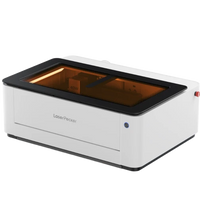
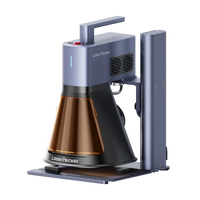


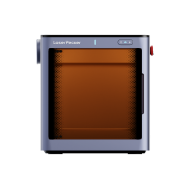


























Engraving a padlock is a practical and creative way to personalize it, mark it for identification, or increase its security. Whether you want to customize a padlock for personal use, mark it for inventory management, or simply decorate it, there are several methods for engraving a padlock.
This article presents three effective techniques for engraving a lock —using a laser engraving machine, a rotary tool, or a CNC machine—suitable for different skill levels, budgets, and purposes. Learn how to best engrave your lock at home or in your workshop.

This article contains:
- Method 1: Engraving the lock with a laser engraving machine
- Method 2: Padlock engraving with a rotary tool
- Method 3: Engraving the lock with a CNC machine
Method 1: Engraving the lock with a laser engraving machine
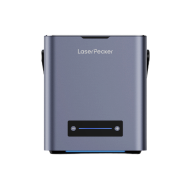
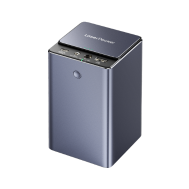
Engraving a lock with a laser engraving machine is one of the most precise and professional methods for permanently etching text, logos, serial numbers, or designs onto metal locks. The focused laser beam removes material from the surface, creating permanent, high-resolution engravings.
Tools required for laser engraving on a lock:
- Laser engraving machine
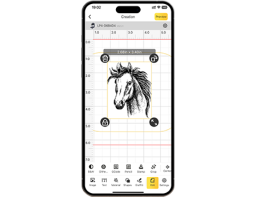
- Design software (e.g. LightBurn or LaserPecker Software & App )
- Metal lock (preferably stainless steel, brass or aluminium)
Steps to laser-engrave a lock
Step 1: Design the engraving
Create or import your text, logo, or design into the engraving software.
Step 2: Prepare the lock
Clean the surface thoroughly to remove dust, oil, or coatings.
Step 3: Secure the lock
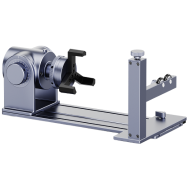
Place it flat on the laser bed or mount it on a rotary attachment for round surfaces.
Step 4: Adjust settings
Adjust power, speed, and focus according to the material of the lock.
Step 5: Start engraving
Start the laser process and monitor the engraving for safety reasons.
Step 6: Clean the lock
Wipe away any residue or traces of oxidation after engraving.
Advantages & disadvantages of laser engraving on a lock
👍Advantages:
Very precise and clean engraving
Permanent, durable markings
Ideal for logos, serial numbers or QR codes
Contactless process – no damage to the lock
👎Disadvantages:
Higher initial investment required
Method 2: Padlock engraving with a rotary tool
Engraving a padlock with a rotary tool (e.g., Dremel) is a practical and inexpensive way to personalize or mark a lock with an engraving. The rotating bit etchs the design or text into the metal surface. While this method is less precise than laser engraving, it is suitable for simple engravings or DIY projects.
Required tools:
- Rotary tool or electric engraving pen
- Screw clamp, vise or non-slip mat
Steps to engrave a lock with a rotary tool
Step 1: Clean the lock
Remove dirt and oil from the surface.
Step 2: Mark design
Draw your design or text with a permanent marker or use a stencil.
Step 3: Secure the lock
Secure the lock firmly to prevent movement during engraving.
Step 4: Insert the engraving bit
Choose a fine bit suitable for metal and attach it to the rotary tool.
Step 5: Start engraving
Move the tool slowly and evenly over your design. Apply light pressure, and the tool will do the rest.
Step 6: Post-processing
Remove metal dust and check the engraved lock.
Advantages & disadvantages of engraving with a rotary tool
👍Advantages:
Cost-effective and easily accessible
Good for simple or rough personalization.
👎Disadvantages:
Less precise than laser or CNC engraving
Not ideal for small or detailed designs
Method 3: Engraving the lock with a CNC machine
CNC (Computer Numerical Control) machines are advanced tools that engrave with high precision from digital design files. Engraving a lock with a CNC machine guarantees clean, consistent, and professional results – ideal for serial numbers, logos, or detailed patterns on metal surfaces.
Required tools:
- CNC engraving machine (desktop or industrial, depending on the size of the lock)
- Computer with CAD/CAM software
Steps to engrave a lock with CNC
Step 1: Design the engraving
Create or import your design in a CAD program and convert it to G-code using CAM software.
Step 2: Prepare the lock
Clean the surface and securely attach the lock to the machine table using a vise or holding device.
Step 3: Setting up the CNC machine
Load the design file, set up the toolpath, and adjust the spindle speed and engraving depth to the material of the lock.
Step 4: Start engraving
Perform the engraving process and monitor the work to ensure an accurate engraving on the lock.
Advantages & disadvantages of CNC engraving on a lock
👍Advantages:
Very precise and consistent results
Permanent, long-lasting engraving on the lock
👎Disadvantages:
Not ideal for one-off, quick applications
Requires more preparation time than manual methods
Conclusion
Engraving a lock doesn't have to be complicated. Whether you choose a high-precision laser engraver, a handheld rotary tool, or a powerful CNC machine, each method has its advantages, depending on your goals and resources. Laser or CNC machines are best suited for detailed designs and serial engraving.
A rotary tool is ideal for quick, personal DIY projects. With the right tools and a little preparation, you can transform any engraved padlock into a professional-looking, engraved lock – perfect for personalization, as a gift, or for organization.