









































Custom water bottles are an easy and creative way to show off your personality and make everyday items unique. Whether you want to personalize a bottle before buying it or revamp a plain one at home, there are many ways to add your personal touch, such as with stickers, paint, vinyl, sublimation, or laser engraving.
With the right tools, a bit of creativity, and some time, you can easily transform an ordinary bottle into a stylish and functional accessory that perfectly suits you. In this guide, we'll show you various methods and tips for personalizing water bottles so you can design your perfect water bottle.

In this article:
Part 1: Introduction to Water Bottle Personalization
Personalized water bottles are currently very trendy. Many people buy them for themselves, give them as gifts, or even use them as promotional items. Designing your own water bottle is a great way to show off your personality. Most people like things that stand out — for example, special colors or personalized names that make the bottle unique.
Besides looking cool, personalized water bottles are also super practical. If everyone at home has their own bottle, there will be no more mix-ups. Companies can place their logos on them to increase brand visibility. They also encourage people to reuse water bottles, promoting a more sustainable lifestyle. And as gifts, they are perfect because they show that thought has been put into them.
There are various ways to customize water bottles: either before purchase or afterwards. Some brands allow you to personalize your bottle directly when ordering — hassle-free, with professional results like engravings or high-quality prints. Or you can design your bottle yourself after purchase. You can get creative with paint, vinyl, or even laser engravings.
Part 2: How to Personalize Water Bottles Before Purchase?
Choosing a water bottle that can be personalized before purchase is a clever decision. This way, you get something that looks high-quality and lasts a long time. These brands are usually very knowledgeable about engraving, printing processes, and other personalization methods. This means you don't have to worry about making mistakes yourself and can be sure that the result will be durable. If you want a simple and professional-looking solution, pre-purchase personalization is the best choice.
Popular Brands for Personalized Water Bottles
Stanley
Stanley bottles are robust and keep drinks hot or cold for hours. Many Stanley models can be engraved, so you can add names, logos, or designs.
Yeti
Yeti offers various options for personalizing their bottles and tumblers. You can add laser engravings or choose different color combinations. This way, you can design a Yeti bottle that perfectly matches your style while offering the well-known quality.
Hydroflask
Hydroflask allows text and design engravings on their bottles. You can choose different sizes, colors, and lid variations to create a water bottle that perfectly suits you.
Part 3: How to Personalize Your Water Bottle After Purchase? (DIY Method)
Want to spruce up your plain water bottle? No problem – just give it a DIY makeover! There are tons of creative ways to express your style with colors, designs, and textures. Whether you enjoy crafting or prefer a simple, minimalist look, there's definitely a DIY project that suits your style and skills.
Why should you personalize your water bottle after purchase?
When you customize your water bottle yourself after purchase, you can let your creativity run wild. You often save money compared to professional personalization services from brands. You can experiment with different materials and designs. Additionally, the bottle becomes even more personal because it reflects your own work and individual style.
Five methods for personalizing water bottles
Personalized water bottles by painting
Want to turn a plain water bottle into something special? Then painting is a great option! Acrylic paints are particularly suitable for this. Afterward, seal your design with a waterproof protective layer so the colors remain vibrant for a long time.

Personalized water bottles with Cricut
Do you own a Cricut? Then you can cut vinyl designs for your water bottles. This is perfect for lettering, logos, or custom shapes. An easy way to give your bottle a professional look.

Personalized water bottles with HTV (Heat Transfer Vinyl)
You can also use HTV, which is Heat Transfer Vinyl. Designs are transferred to the bottle with heat. This prevents them from peeling off easily. Company logos and colorful designs look great with this method.

Personalized water bottles through sublimation
If you like full-color designs, you should try sublimation. This allows you to print photos and color gradients directly onto special water bottles.

Personalized water bottles through laser engraving
Laser engraving is another great option. This involves engraving designs directly into the surface of the bottle, providing a clean, durable result. This method is excellent for metal, plastic, and coated bottles.

Features & Benefits of laser engraving on water bottles
- Precision: Laser engravings enable extremely detailed and consistent designs.
- Durability: Engraved designs are permanent and resistant to wear and fading.
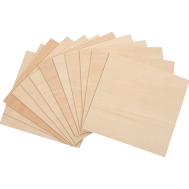
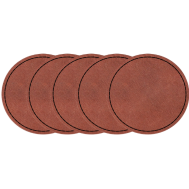
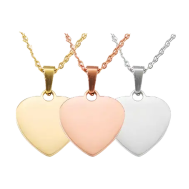
- Versatility: Works on metal, plastic, leather, wood, and coated surfaces.
- Professional Finish: Provides an elegant, high-quality look – ideal for gifts or branding.
Laser engraving is a great DIY option if you want to customize your water bottle. It is extremely precise and creates durable designs on almost any material. So if you want a particularly clean and permanent result, you should definitely try this method.
Part 4: How to personalize water bottles with laser engraving
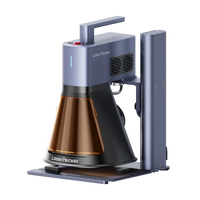
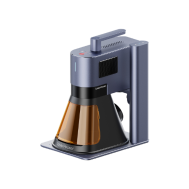
Laser engraving is an excellent way to customize your water bottle and add a personal touch. For individuals and small businesses, the LP5 laser engraver is a popular choice, as it is both versatile and powerful.
Required tools and materials
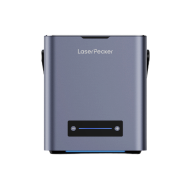
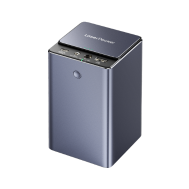
- Laser Engraver & Laser Cutter (recommended: LP5 (20W Fiber Laser + 20W Diode Laser))
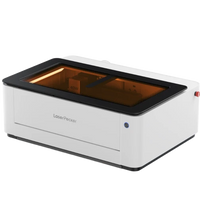
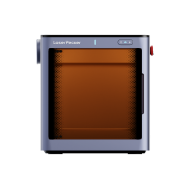
- Safety Enclosure: For safe operation
- Water bottle: Stainless steel, anodized aluminum, painted metal, or coated surfaces
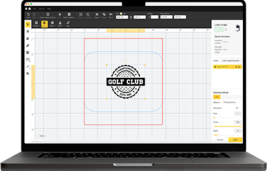
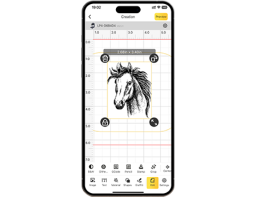
- Design software: LightBurn or LaserPecker Design Space
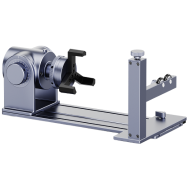
- Optional accessories: Rotary attachment for cylindrical objects
Steps for laser engraving a water bottle at home
Here's how to get started with the LP5 Laser Engraver:
- Prepare the bottle: Make sure the bottle is clean.
- Create your design: Use software like LightBurn or LaserPecker Design Space.
- Set up the LP5: If necessary, attach the bottle to the rotary attachment. Adjust the laser to match the bottle's material.
- Perform a test: Test the settings on a similar material first to ensure everything looks good.
- Engrave: Start the engraving. The LP5 can cleanly engrave fine lines, deep engravings, or even remove specific coatings.
- Post-processing: Remove any residue and check the design. Your personalized water bottle is ready!
What the LP5 can do:
450nm Diode Laser: Suitable for metal, aluminum, steel, wood, bamboo, leather, fabric, acrylic, glass, and ceramics.
1064nm Fiber Laser: Ideal for metal, plastic, and painted surfaces.
Cutting: The diode laser cuts acrylic (up to 15 mm) and basswood (up to 20 mm). The fiber laser cuts brass, steel, aluminum, and titanium sheets (1 mm).
Why choose the LP5?
This compact machine is both portable and robust. It engraves at speeds of up to 10,000 mm/s, helping you complete projects faster – ideal for larger production volumes or efficient work. But the LP5 is not only fast but also versatile. It enables deep engravings, relief designs, and clean cuts in many materials like wood and acrylic.
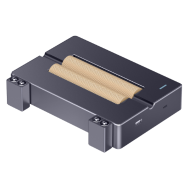
It also works with slide and rotary attachments. This allows you to easily process round or unusually shaped objects such as tumblers, glasses, or pipes. The machine works perfectly with LightBurn and LaserPecker Design Space – two well-known laser engraving programs. This makes designing and controlling your projects particularly easy. No technical prior knowledge is required. Safety is, of course, paramount, especially with lasers. With the safety enclosure, you can safely use the LP5 indoors. It is a Class 1 laser product specifically designed for safe operation.
Part 5: FAQs about water bottle personalization
1. How long does it take to personalize a water bottle?
How long it takes to personalize a Stanley or Hydroflask bottle depends entirely on the method you choose. If you order an already personalized bottle, you should plan for about a week, as engraving or printing work takes time.
If you customize your bottle yourself with paint or stickers, you should plan for a few hours or even a whole day – especially due to drying time. With a laser engraver like the LP5, it's significantly faster. Simple designs can often be completed in less than an hour, while more complex motifs require more time. It's best to plan your design carefully beforehand and test it on another material first. This saves time later and avoids errors!
2. Are personalized water bottles durable?
If you want your custom design to last, the right method is crucial. Laser engraving is one of the best options. Engravings are permanent and particularly resistant on metal or coated bottles. Vinyl designs also work well if applied correctly and the bottle is hand-washed as much as possible. Paints and prints can also last a long time if you seal them with a protective varnish. Basically, the right combination of design and bottle material ensures that your personalized water bottle looks good for longer.
3. Can I remove the personalization if I don't like it?
Whether a personalization can be removed depends on how it was applied. Laser engravings are generally permanent. Attempting to remove them could damage the bottle.
Vinyl or HTV designs can usually be removed or replaced. However, you should be careful when applying and removing them to avoid leaving adhesive residue.
Paints and sublimation prints are more difficult to remove. This usually requires sanding, chemical agents, or overpainting, which can affect the bottle's surface.
Before you finally decide on a design, it's best to test it on a small area first or use temporary stickers.
Conclusion
Personalized water bottles are a great way to showcase your own style, create special gifts, or promote your brand. You can buy pre-personalized bottles from brands like Stanley, Yeti, or Hydroflask, or customize your bottle yourself with paint, vinyl, or laser engraving.
If you want a particularly professional result, laser engraving with the LP5 is an excellent choice. The dual-laser system works quickly and supports many different materials. This allows you to create custom water bottles that not only look great but are also durable. The LP5 makes personalizing water bottles easy – whether for hobby projects, gifts, or your own business.