











































If you enjoy crafting, personalizing gifts, or running a small creative business, you’ve probably heard of crafting cutting machines like laser cutters and Cricut machines.
Both cutting machines for crafting can bring digital designs to life — by cutting, engraving, or shaping materials with impressive precision. While they might seem similar at first glance, they work very differently and are best suited for different types of projects.
In this guide, we’ll explain the comparison between laser cutter vs Cricut in terms of power, materials, speed, and creative flexibility. Whether you’re just a hobbyist, a small business owner, or making a living with it, understanding what each machine can do will help you better decide which one is right for you.

In this article:
Part 1: What is a Cricut Machine?
Cricut machines? They're like Swiss Army knives for creative people! Perfect for crafters, hobbyists, or anyone who just loves making things. Cricut uses blades to cut materials and bring your designs to life. Stickers, cool paper art, vinyl lettering, even fabric patterns... the sky's the limit! And the best part? They're super easy to use, even if you're not a tool-savvy pro.
How Does Cricut Work?
Cricut machines use a blade to cut materials like paper and vinyl. You just choose a design from their program or upload your own. The machine then cuts it out, and some can even score, write, or add foil! They're great for thinner materials. Remember, the better the blade, pressure, and material, the better the cut.

Pros and Cons of Cricut Machine
Pros:
- It's affordable and great for beginners.
- It's small and easy to move around the house.
- It can cut paper, vinyl, fabric, and other thin materials.
- The software is easy to learn and use.
Cons:
- It can't cut thick materials or certain types of materials.
- Don't expect it to engrave metal or do deep cuts.
- Complex designs with lots of layers can take a while.
- It's not really designed for big, industrial projects.
Part 2: What is a Laser Cutter?
Laser cutters are cool tools that use light to cut or mark materials with super high precision.
They're different from traditional cutting devices because they don't touch the material they're working on. This allows for detailed work and clean cuts. You'll find them in factories, sign shops, jewelry making, and even in home garages for hobby projects. So they're good for both pros and hobbyists.
How Does a Laser Cutter Work?
Laser cutters focus a strong beam of light onto a material. The energy from this beam burns or melts the material, creating a clean cut or engraving. Current laser cutters use computer controls to precisely replicate designs from CAD or vector software.
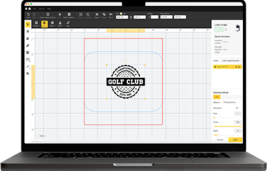
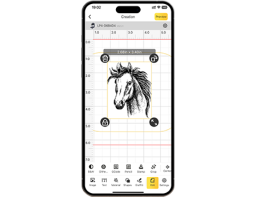
Some advanced, compact, and portable desktop laser cutters are very user-friendly and can be easily controlled via a smartphone app. These machines can work with materials like metals, plastics, wood, and leather, depending on the laser type – fiber or diode. You can change the beam type, power, speed, and focus to create different depths and looks.
Pros and Cons of Laser Cutter
Pros:
- Very precise, great for detailed cuts.
- Cuts many materials: wood, acrylic, even metal.
- Gives clean, professional results.
- Engraves, marks, and cuts all in one go.
Cons:
- Costs more than simpler machines like Cricut.
- If you're just starting, it might take a bit to learn how to use it.
Part 3: Key Differences Between Cricut and Laser Cutter
So, you're deciding between a laser cutter and a Cricut? What are the differences between a laser cutter and a Cricut? Both are cool cutting machines for crafting, but they work in totally different ways. Before you drop any cash, it's good to know what each one is all about.
Let's look at the comparison between laser cutters vs Cricut machines. — how precise they are, what materials they can cut, how complex the designs can be, how much they cost, and how easy they are to use. This should help you pick the right gear for your projects.
1. Precision and Cutting Power
Cricut machines are pretty accurate for simple shapes but struggle with tiny details on tricky or thick materials. If you need really detailed or intricate designs, a laser cutter is the better bet.
Laser cutters are great for very precise cuts, detailed designs, clean edges, and deep marks with few errors.
2. Materials
Laser cutters work with a lot of materials, like wood, plastic, leather, metals, glass, ceramics — and even vinyl, which is usually Cricut's specialty. Some fancy ones, like fiber lasers, can even cut thin brass, aluminum, stainless steel, and titanium.
Cricut machines? Not so much. They're designed for paper, cardstock, vinyl, iron-on materials, and thin leather or balsa wood. You can't cut most metals or thick materials with them.
3. Design Complexity
Cricuts are better for simpler stuff – think basic lettering, stickers, or simple patterns. Got a project with multiple layers or a 3D effect? A Cricut might give you a hard time.
Laser cutters are great for super detailed stuff like logos and cool shapes, since they're controlled by software.
4. Cutting and Engraving Speed
Laser cutters are faster when it comes to engraving and cutting thin materials.
CNC cutters move slower because they physically remove material, but they’re great for carving 3D shapes and thick materials.
5. Cost Comparison
Laser cutters usually cost more upfront. Cricuts are cheaper and easier for hobbyists to get, great for small or occasional projects. If you plan to use it frequently or for business, a laser cutter's flexibility and speed might be a worthwhile investment in the long run.
6. Ease of Use
Cricut machines are easier for beginners to use because the software is friendly and setup is quick.
Laser cutters require more background knowledge of design programs, materials, and safety. However, machines like LP5 have software that is easier to understand, making them increasingly user-friendly even for beginners.
7. Applications and Usage Areas
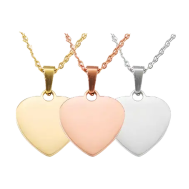
Laser cutters? Great for pros or when you need to make a lot of stuff. Think signs, jewelry, factory prototypes, or gifts with a personal touch. Cricut machines are more for home use — perfect for crafts, school projects, small custom orders, and jazzing up your space. Pick the tool that fits what you're doing. Ultimately, it comes down to the scale of your project and the materials you're working with.
Also, a cutter can double as a laser engraver, allowing you to add complex designs or personalized details to your projects, making it even more versatile.
Part 4: Cricut vs. Laser Cutter: How to Choose a Cutting Machine?
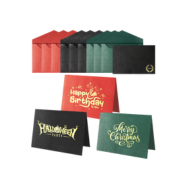
For simple projects like paper crafts or vinyl decals, a Cricut machine is a great choice. They're user-friendly, affordable, and just right for hobbies or small home projects.
When Should You Choose a CNC Cutter?
- Choose this if you frequently work with robust materials like thick wood, hard plastics, or metals.
- Opt for this type if you need to carve, mill, or shape items in 3D.
- Well-suited for heavy-duty fabrication tasks where sustained performance is more critical than minute detail.
- Select this if you are on a budget and don't need super-fast engraving.
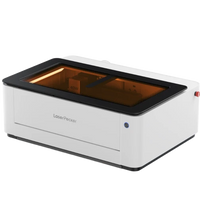
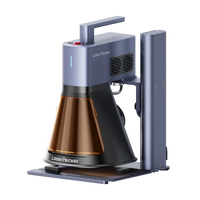
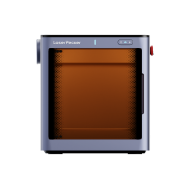
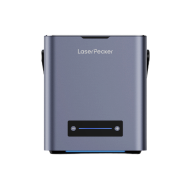
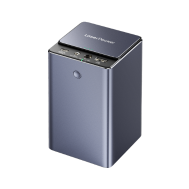
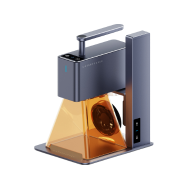
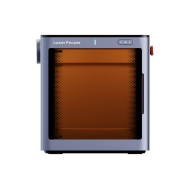
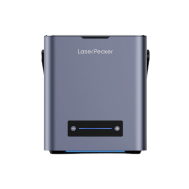
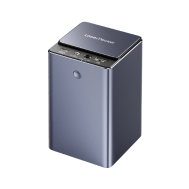
However, if you need to cut tougher materials like wood, metals, or leather with higher accuracy, laser cutters are great alternatives to Cricut. We recommend the LP5 — a powerful 20W fiber laser (1064nm) and a 20W diode laser (450nm) that gives you a lot of flexibility. The diode laser works on materials like metal, aluminum, steel, wood, leather, plastic, glass, vinyl, and food. The fiber laser is great for metals, plastics, leather, and painted surfaces, making it perfect for highly detailed work.

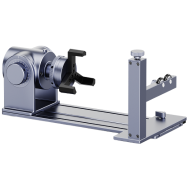
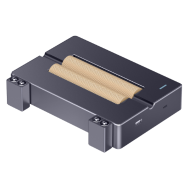
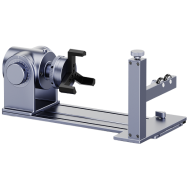
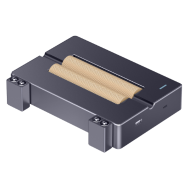
The LP5 can cut up to 15mm thick dark acrylic and 20mm thick basswood with its diode laser. With the fiber laser, it handles 1mm thick sheets of brass, steel, aluminum, and titanium. It's also a fast engraver, reaching speeds up to 10,000mm/s, so you can create detailed designs or personalized items quickly. It comes with accessories like a slide for bigger projects (160 × 300mm) and a rotary tool for personalizing mugs and bracelets, making it even more useful.
The LP5 works with LightBurn and LaserPecker Design Space and can be used on computers and smartphones. Its small size and professional performance make the LP5 great for hobbyists and small businesses looking to do top-notch work.
Part 5: Cricut vs. Laser Cutter FAQs
1. Can Cricut Cut Wood or Metal?
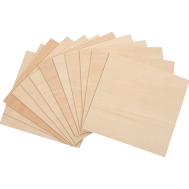
Cricut machines are great for materials like balsa wood, chipboard, thin faux leather, or super-thin wood sheets. But they’re not designed for cutting metal or very thick, hard wood. Trying to cut those materials could damage the blade and make the machine less precise. Plus, it might shorten your Cricut’s lifespan. If you’re looking to cut metal or thick wood, you’re better off using a laser cutter.
2. Which is Better for Beginners: Laser Cutter or Cricut?
Cricut machines? Super easy to pick up, especially if you're just starting out. Setup is a breeze, the software is intuitive, and you're not likely to mess up too much. They're great for paper, vinyl, fabric, and similar materials.
Laser cutters can be a bit trickier, but they give really precise, professional results. Some, like the LP5, try to keep things easy with preset material settings, fast engraving, and safety features. So, even if you're totally new, you can still get some pretty impressive results without a ton of experience.
3. What Is the Lifespan of a Laser Cutter?
Laser cutters, if you take good care of them, can last a really long time, even if you're using them constantly. Fiber lasers, like the LP5, are super tough. They're built to engrave and cut quickly and repeatedly, and they don't wear down much. To keep them going strong, you'll want to clean the lenses, check that everything's aligned properly, and use them correctly. If you maintain your LP5 well, it can provide years of great service for hobbyists and small workshops. It will continue to precisely and reliably cut a variety of different materials.
Conclusion
Laser cutters and Cricuts are both great for making things, but they're built for different jobs. Cricuts are affordable, easy to learn, and great for simple stuff like paper crafts or vinyl decals. Laser cutters? They're the pros.
If you're serious about DIY or running a small business and need to make super-accurate, sturdy items, then a laser cutter, like the LP5, is the right alternatives to Cricut. It can handle almost anything. Check out what each machine is good at, then pick the one that matches what you want to make, how much you want to spend, and what you plan to do in the future.