













































Dog tags are more than just accessories – they can carry important information, personal messages, or individual style statements. Whether you want to personalize pet tags, military-style IDs, or stylish gifts, engraving makes every piece meaningful and durable.
In this guide, we will introduce you to 6 practical methods for engraving dog tags – from professional laser machines to DIY tools – so you can find the right method for your skills, budget, and design requirements.

In this article:
- Method 1: Engrave a dog tag with a laser engraving machine
- Method 2: Engrave a dog tag with a rotary tool
- Method 3: Engrave a dog tag with a chisel and hammer
- Method 4: Design a dog tag by stamping
- Method 5: Engrave a dog tag with a small CNC machine
- Method 6: Engrave a dog tag with a Cricut Maker
Method 1: Engrave a dog tag with a laser engraving machine
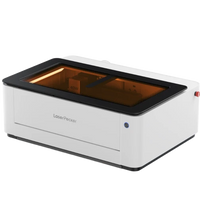
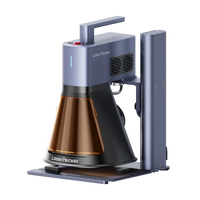
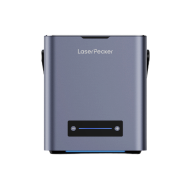
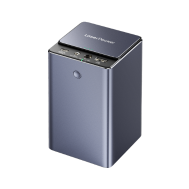
Laser engraving is one of the most precise and professional methods to engrave a dog tag. Whether you want to add a name, contact details, or a custom design – a laser engraver delivers clean, permanent results on metal, plastic, or acrylic surfaces.
What you need for laser engraving a dog tag:
- Fiber laser engraving machine
- Dog tags (stainless steel, aluminum, etc.)
- Design software (e.g., LightBurn, LaserPecker Software & App)
Step 1: Create or select design
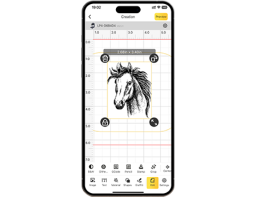
Create the text, pattern, or logo using the design software and adjust the size to fit the dog tag.
Step 2: Clean the tag surface
Remove dust, oil, or fingerprints to ensure a clean engraving.
Step 3: Securely fix the tag
Place the dog tag on the laser bed and ensure it does not move during engraving.
Step 4: Adjust laser settings
Set power, speed, and focus height according to the material (e.g., for stainless steel: lower speed, higher power).
Step 5: Check engraving area
Use the preview/frame function to align the design with the tag.
Step 6: Start engraving
Start the engraving process and monitor it for safety and accuracy.
Step 7: Clean and finish
After completion, remove any residue and polish the surface if necessary.
Pros and cons of engraving a dog tag with a fiber laser
Pros:
High precision and detail accuracy
Fast and efficient for small to medium quantities
Contactless process (no tool wear or damage)
Works on a variety of materials
Cons:
Requires expensive specialized equipment.
Method 2: Engrave a dog tag with a rotary tool
Using a rotary tool or engraving pen is a practical and cost-effective method for engraving dog tags. This method is excellent for DIY projects or one-off customizations, especially if you enjoy crafting or do not have access to a laser.
Required materials:
- Rotary tool or electric engraving pen
- Clamp, vise, or non-slip mat
- Polishing cloth or fine sandpaper
Step 1: Plan and mark the design
Use a stencil or marker to pre-draw the text or pattern on the dog tag.
Step 2: Fix the tag
Secure the dog tag to your work surface to prevent slipping.
Step 3: Select the appropriate burr
Insert a fine engraving burr suitable for the tag's material.
Step 4: Start engraving slowly
Hold the tool like a pen and trace the design evenly. Light pressure is most effective.
Step 5: Clean and polish
Remove dust and polish the dog tag if necessary to make the engraving stand out more clearly.
Pros and cons of engraving a dog tag with a rotary tool
Pros:
Affordable and easily accessible
No software or machine setup required
Cons:
Requires a steady hand and practice
Less precise than laser or CNC engraving
Time-consuming for complex designs
Can lead to uneven depth or clarity
Method 3: Engrave a dog tag with a chisel and hammer
Hand engraving with a chisel and hammer is a traditional technique that provides a robust, handcrafted finish. It is best suited for those who appreciate craftsmanship and desire a more personal, artisan-style engraving on metal dog tags.
Required materials:
- Small metal chisel or engraving stamp set
- Ball-peen hammer or light engraver's hammer
- Engraving block or vise (for securely holding the dog tag)
- Pencil or scriber (for pre-drawing the design)
Step 1: Mark the design
Lightly draw or scratch the desired design or text onto the dog tag as a guide.
Step 2: Secure the tag
Place the dog tag on a solid surface and secure it firmly to prevent movement.
Step 3: Position the chisel or stamp
Align the chisel or stamp over the first letter or line of your design.
Step 4: Strike with a hammer
Strike the chisel or stamp with controlled force. Repeat the process for each letter or element.
Step 5: Clean and finish
Remove any residue and polish the dog tag for a clean finish.
Pros and cons of hand engraving dog tags
Pros:
Requires neither electricity nor complex tools.
Durable and permanent engraving.
Cons:
Time-consuming, especially for detailed designs.
Requires precision and practice.
Limited to simple text or shapes.
Method 4: Design a dog tag by stamping
Metal stamping is a popular and beginner-friendly method for personalizing dog tags. Using metal letter or number stamps and a hammer, durable impressions can be made into the surface, giving the tag a robust, handcrafted look.

Source: Hand stamped Pet Tag for Teddy
Required materials:
- Metal stamps (alphabet, numbers, symbols)
- Ball-peen hammer or stamping hammer
- Dog tags (preferably aluminum, brass, or stainless steel)
- Polishing cloth
Step 1: Plan and align the design
Use tape or a stamping guide to mark the design's position and align the letters straight.
Step 2: Fix the tag
Place the dog tag on a steel block and secure it with tape.
Step 3: Position the stamp
Hold the metal stamp perpendicular to the desired spot.
Step 4: Strike with a hammer
Apply a strong, controlled hammer blow to emboss the stamp into the metal.
Step 5: Repeat and fill (optional)
Repeat the process for each character. Fill in the letters with a dark marker or enamel and wipe off any excess color.
Pros and cons of stamping dog tags
Pros:
Very cost-effective and easy to learn
No power or software required
Cons:
Limited detail accuracy
Only works well on flat, soft metal
Errors are difficult to correct
Method 5: Engrave a dog tag with a small CNC machine
A small CNC engraving machine offers precision and repeatability, making it ideal for custom dog tag engraving – especially when you want to achieve consistent results across multiple pieces. It is an excellent option for small businesses, hobbyists, or experienced DIY users.
Required materials:
- CNC desktop engraving machine
- Engraving cutter
- CAM/CAD software
- Dog tags (typically aluminum, brass, or stainless steel)
- Polishing cloth
Step 1: Create engraving design
Create or import your design using CAD software and convert it into a toolpath with CAM software.
Step 2: Fix the tag on the worktable
Secure the dog tag firmly to the CNC table with strong tape or clamps.
Step 3: Select and insert the appropriate cutter
Insert a fine engraving cutter and zero the machine on the surface of the tag.
Step 4: Set material and speed parameters
Adjust spindle speed, feed rate, and engraving depth to suit the tag's material.
Step 5: Start engraving
Start the engraving process and monitor the machine for safety and precision during operation.
Step 6: Clean and polish
After completion, remove any residue and polish the dog tag if necessary.
Pros and cons of CNC engraving dog tags
Pros:
Extremely precise and detailed
Repeatable results – ideal for series production
Fully automatic process after setup
Cons:
High acquisition costs for machine and software
Setup takes time for each new design
Method 6: Engrave a dog tag with a Cricut Maker
The Cricut Maker, known from the crafting and DIY sector, can engrave soft metals like aluminum with the engraving tip. While it is not suitable for deep engravings or hard metals, it offers an excellent option for light, decorative engravings on dog tags – ideal for crafters and hobbyists.
Required materials:
- Cricut Maker
- StrongGrip mat
- Aluminum dog tags (Cricut recommends anodized aluminum)
- Painter's tape or masking tape (to secure the blank)
- Computer with Cricut Design Space software
Step 1: Create design
Create or import your text or graphic design into Cricut Design Space and adjust the size to fit the dog tag.
Step 2: Place the tag on the mat
Securely fasten the dog tag to the StrongGrip mat with tape to prevent movement.
Step 3: Select engraving tip
Insert the Cricut engraving tip into the machine's tool holder.
Step 4: Set material and settings
In Design Space, select "aluminum sheet" or a similar material to set optimal pressure and passes.
Step 5: Start engraving
Start the engraving process and wait for the machine to complete the design.
Step 6: Remove and clean
Carefully remove the dog tag and wipe off any residue. Polish the surface if necessary.
Pros and cons of engraving dog tags with a Cricut Maker
Pros:
User-friendly
Ideal for decorative or light engravings
Compact and perfect for small DIY setups
Cons:
Only works with soft metals (not suitable for stainless steel)
Shallow engraving, mainly for light markings
Conclusion
Engraving a dog tag can be as simple or as sophisticated as you wish. From precise laser engraving machines to handheld tools like engraving pens or stamping sets, each method offers its own advantages. Whether you want to personalize a single tag or produce a larger quantity, choosing the right engraving method depends on the material, the desired level of detail, and the available tools.
Now that you know the 6 main methods for engraving a dog tag, it's time to choose your preferred method and create something meaningful.